AI Workflow Automation for Professional Services Firms: Where to Start and What to Avoid
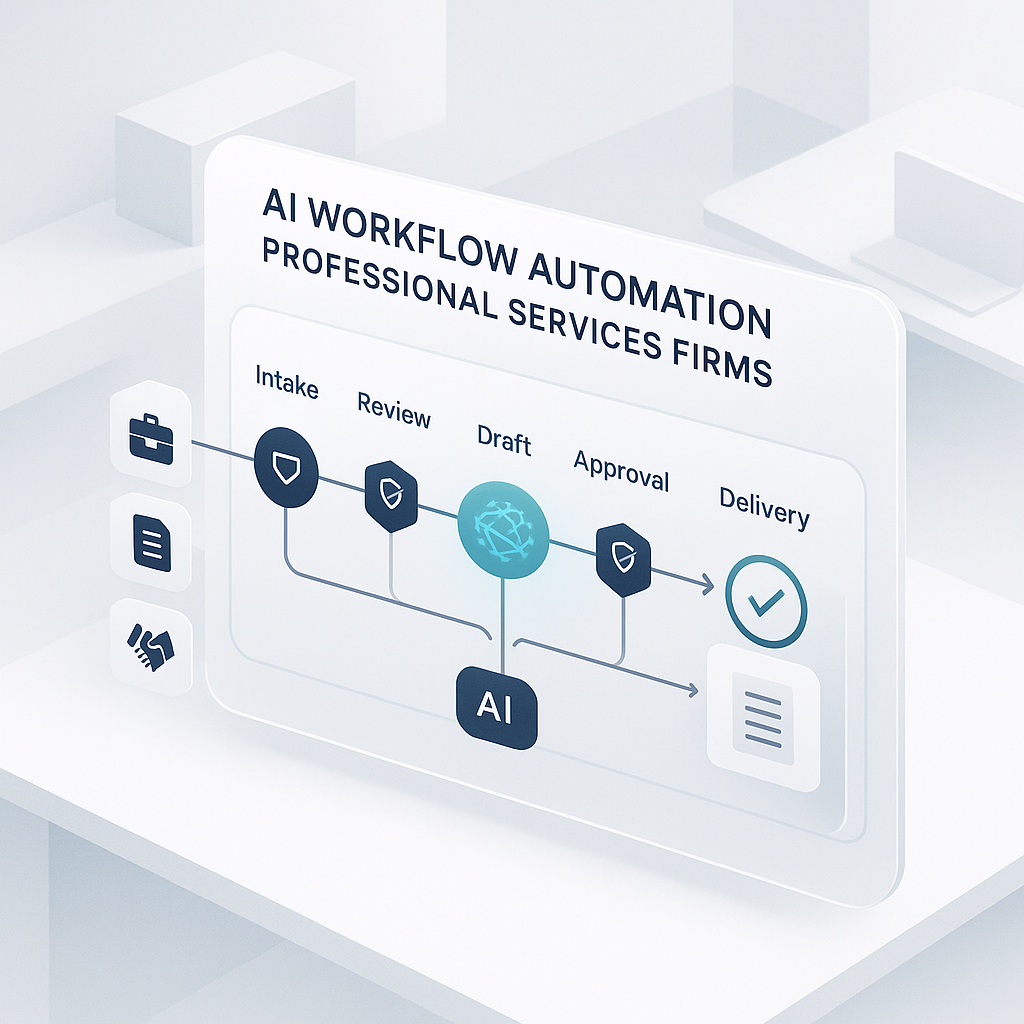
Professional services firms usually do not have a shortage of expertise. The drag comes from the work around that expertise: intake emails that sit too long, proposal drafts that start from scratch, meeting notes that never make it into the CRM, status updates assembled manually, and billing support that depends on someone catching errors at the end.
That is why AI workflow automation can be useful here. The best opportunities are usually not in replacing expert judgment. They are in reducing process friction around expert judgment.
Many firms get this backwards. They try to automate analysis, recommendations, or client-facing conclusions before they have cleaned up the repeatable coordination work. That usually leads to low trust, unclear return, and a pilot that stalls.
A better starting point is simple: choose workflows that are high-volume, rule-influenced, and easy for a person to review.
Why professional services firms are a good fit
Most firms already run on process, even if it is buried in inboxes, spreadsheets, shared drives, calendars, and the habits of a few reliable people.
You can usually find structured work in places like:
- Client intake and qualification
- Proposal drafting and revision
- Meeting prep and follow-up documentation
- Knowledge retrieval from prior engagements
- Project status communication
- Billing support and timesheet QA
These are good candidates because they already have repeatable steps and some kind of quality check.
For example, if a new client inquiry always needs the same details collected, tagged, and routed, that is a workflow problem. If account leads spend Friday afternoons pulling updates from tickets, notes, and emails just to write a weekly client summary, that is another workflow problem. Those are better first targets than asking AI to make a strategic recommendation on a complex engagement.
Where to start first
The strongest first use cases tend to share three traits:
- The work happens often enough to matter
- The output follows a pattern or template
- A person can review the result quickly
Here are five practical places to start.
Intake triage and routing
Inbound requests often arrive by email, form, or call notes with incomplete information. AI can classify requests, extract key details, and route work to the right team.
That can help with:
- Sorting leads by service line
- Flagging missing intake details
- Creating draft CRM records
- Assigning requests based on rules
Human review should stay in place for unusual cases, but the routine sorting work can move faster.
Proposal and scope draft acceleration
Proposal teams waste time on the blank page. If your firm already uses standard templates and has a library of prior work, AI can assemble a first draft from those materials.
This works best when the draft is clearly a starting point, not a final answer.
Use it for:
- Pulling standard language into the right sections
- Drafting scope outlines from intake notes
- Reusing relevant examples from prior wins
- Preparing a revision draft after stakeholder comments
The expert still decides what should be proposed. The system reduces the setup work.
Meeting summary and action tracking
A lot of execution slips because decisions made on calls never turn into clear next steps.
AI can turn meeting notes or transcripts into:
- Structured summaries
- Decisions made
- Open questions
- Owners and due dates
- Draft follow-up emails
This is one of the easier places to prove value because the before-and-after is obvious. Either action items make it into the system and get followed up, or they do not.
Internal knowledge retrieval
Teams often recreate work because they cannot find what already exists. Prior deliverables, SOPs, research notes, and playbooks may be available, but not easy to search.
AI-assisted retrieval can help staff find:
- Relevant past project examples
- Standard methods and checklists
- Internal policy guidance
- Reusable language for common client questions
This can cut repeated effort and improve consistency, especially for newer team members.
Client update preparation
Status updates are often stitched together from project plans, ticket systems, inboxes, and meeting notes. AI can assemble a draft progress narrative from those signals.
Leaders still review and approve, but the first pass is faster.
That is useful when updates need to be:
- Weekly and predictable
- Consistent across accounts
- Tied to actual project signals
- Checked before client delivery
Augment before you automate deeply
For professional services firms, human review is not a temporary patch. It is part of the operating model.
A practical rollout usually looks like this:
- AI proposes
- Human reviews
- System records edits and outcomes
That pattern matters because trust is built through repeated, reviewable wins. If the system helps a manager produce cleaner meeting follow-up in half the time for six weeks, adoption gets easier. If it produces one risky client-facing mistake early, adoption gets harder.
As quality data builds up, you can increase automation in lower-risk parts of the workflow.
A 60-day rollout that is actually manageable
One focused workflow can usually be tested in 60 days if you keep scope tight.
Days 1-10: Baseline and map the work
Before touching tools, document:
- Current process steps
- Who owns each handoff
- Where delays happen
- How often rework shows up
- What success should look like
Pick one pilot workflow and define a few metrics that matter.
Days 11-25: Build the first version
Set up the basic workflow with:
- Prompts and templates
- Guardrails for sensitive cases
- Integration with existing tools where possible
- Simple monitoring for throughput and quality
Do not overengineer this stage. The goal is to make the workflow usable enough to test.
Days 26-45: Pilot with a limited group
Run the pilot with one team, one office, or one service line.
Track:
- Acceptance rate
- Edit rate
- Turnaround time impact
- Failure patterns
- User feedback
This is where you find the real operating issues, not merely technical ones.
Days 46-60: Decide whether to scale
Compare the pilot to the baseline and make a clear decision:
- Scale if quality and speed improved enough
- Iterate if the workflow is close but still unstable
- Stop if the process was a poor fit
If it works, write a simple runbook and train the broader team on how to use it and when to challenge it.
Controls matter more than clever prompts
Firms often spend too much time tweaking wording and too little time on controls.
At minimum, use:
- Output checklists by workflow type
- Escalation rules for low-confidence outputs
- Mandatory review for regulated or client-sensitive content
- Versioning for prompts and templates
- Spot audits on production outputs
For example, a proposal draft may need a checklist for pricing references, scope boundaries, and client-specific terms. A meeting summary may need a check that owners and dates were actually captured before it is pushed into the CRM or project system.
What usually goes wrong
A few failure patterns show up again and again.
Tool-first decisions
Teams pick a platform before choosing the workflow. That creates extra complexity and weakens the business case.
Start with the operating problem: slow intake, inconsistent handoffs, delayed updates, proposal rework, missed action items.
No process owner
If nobody owns the workflow outcome, issues drift. Someone needs to own quality, turnaround, training, and exceptions.
Weak change management
Even a useful workflow will fail if the team does not know:
- When to trust the output
- When to review closely
- How to correct mistakes
- Where feedback goes
Poor measurement
If you only measure usage, you will not know whether the workflow is helping. Track business outcomes with adoption.
What leadership should look at each week
Keep the scorecard compact:
- Turnaround time delta
- Throughput per team member
- Rework or error rate
- AI acceptance rate before edits
- Client-facing quality incidents
This keeps the conversation tied to delivery, not novelty.
Build versus buy
Most firms should not start by building custom systems. In the early stages, existing tools plus targeted integration and clear operating rules are usually enough.
Custom build starts to make more sense when:
- You have repeatable workflows at scale
- Your data quality is strong
- You need tighter domain-specific controls
- Your internal team can maintain the system long term
Until then, process discipline matters more than custom architecture.
What to do next
Pick one workflow where the pain is visible and frequent: intake routing, proposal drafting, meeting follow-up, knowledge retrieval, or client updates. Map the current steps, define the review rules, and test whether the workflow can get faster without lowering quality.
If you cannot explain the baseline process, the handoffs, and the quality checks in plain language, do that work first. It will improve the operation even before any automation is added.