How to Manage AI Projects: A Practical Guide for Teams
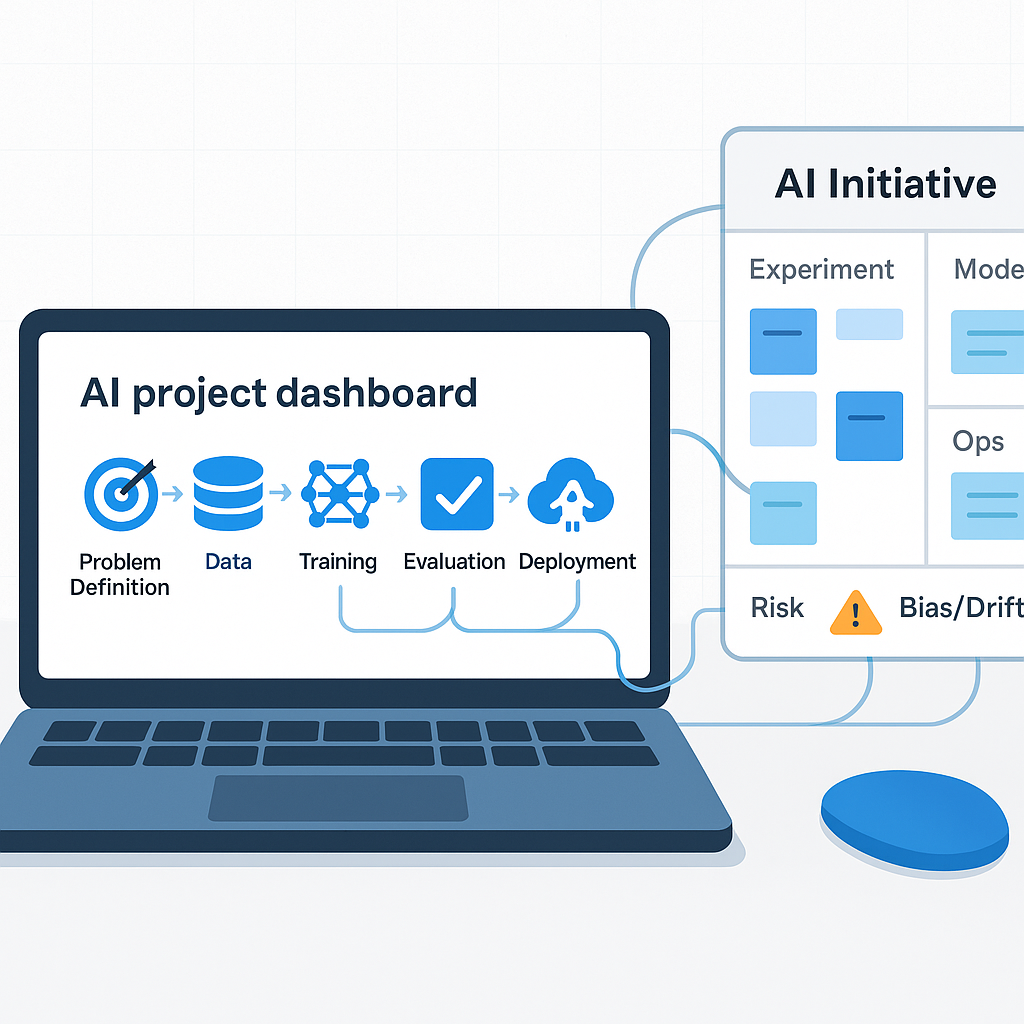
Managing an AI project is different from managing a normal software sprint. The work is less predictable, the output quality can vary, and teams often do not know what success looks like until they are already in the build.
That creates a familiar operating problem. A team starts with a reasonable idea like summarizing sales calls, routing support tickets, or drafting estimates from intake notes. A few weeks later, the scope has spread into CRM cleanup, knowledge search, reporting, and custom integrations. The pilot still looks promising, but nobody is sure what should launch, who signs off on quality, or what happens when the system makes a bad call.
If this is your first AI initiative, the goal is not to build the most ambitious system. The goal is to ship a useful workflow with clear boundaries, clear owners, and a way to tell whether it is actually helping.
Start with the operating problem
The easiest way to waste time on an AI project is to choose the tool first.
A new model comes out. Someone sees a demo. A pilot starts before the team has defined the task, the owner, or the success metric. That is how you end up with a lot of activity and very little change in the actual workflow.
Write a short problem statement before you evaluate anything. Keep it plain:
- What task or decision is slow, inconsistent, or creating rework?
- Who does it now?
- How often does it happen?
- What is the current baseline for time, error rate, or backlog?
- What would a useful improvement look like?
Examples:
- Account managers spend too much time writing call summaries and updating CRM records after client meetings.
- Dispatch staff manually sort inbound emails and assign jobs, which creates delays and missed handoffs.
- Estimators rebuild the same proposal language from old files instead of starting from a standard draft.
This one paragraph gives the team something concrete to protect. It helps you decide what to build, what to ignore, and what counts as success.
Scope the work before the project scopes you
AI projects expand quickly because people can imagine a lot of adjacent uses once they see early results.
A meeting summary tool becomes a search tool for SOPs. Then someone wants it to draft follow-up emails. Then to log next steps in the CRM. Some of those ideas may be good. They still should not all be in version one.
A simple way to control this is to define scope in three layers:
Core
The minimum useful outcome.
- Example: generate a draft call summary from recorded customer calls
- Example: classify support emails into the right queue
- Example: draft first-pass invoice descriptions from technician notes
Adjacent
Helpful additions, but not required for launch.
- Push summaries into the CRM automatically
- Draft client follow-up emails
- Tag issues by product line for reporting
Future
Ideas worth saving, but fully out of scope.
- Full knowledge management system
- Voice agent replacement for inbound calls
- Company-wide workflow redesign
Lock the core scope before development starts. If the core is not stable, the team will spend its time debating options instead of getting a usable result into production.
Put the right people in the room
Most AI projects do not fail because of the model. They fail because nobody owns the operational judgment.
You need four roles, even if one person covers more than one in a smaller company:
- Domain expert: knows what a correct output looks like in the real workflow
- Technical lead: handles integrations, data flow, access, and deployment limits
- Project owner: keeps the work tied to business goals and makes tradeoff decisions
- End user representative: speaks for the people who will actually use it every day
Do not skip the end user. A tool that looks good in a demo can still be a poor fit for the actual handoff.
For example, if a support team already works from a ticket queue, adding a separate AI review inbox may slow them down instead of helping. If estimators already live in one system, forcing them to copy drafts from another tool may kill adoption.
Choose tools based on constraints
There are plenty of tools that can handle generation, summarization, and analysis tasks. The right choice depends less on headlines and more on your operating limits.
For many mid-market teams, a practical first stack can be simple:
- Claude or GPT-4o for generation, summarization, and analysis tasks where you need reasoning depth
- A lightweight prompt management approach, even a shared Notion doc, before you buy a dedicated prompt operations platform
- Your existing project management system such as Linear, Jira, or Asana instead of moving the whole team to a new AI-specific PM tool
Evaluate tools using your actual workflow:
- Output quality on your real examples
- Data privacy and compliance requirements
- Ease of fitting into your current systems
- Cost at the volume you expect to run
A practical test is better than a polished demo. Use real support tickets, real meeting notes, real estimate requests, or real inbox traffic. If the tool performs well only on ideal examples, you have learned something important.
Build review loops from day one
Shipping the feature is not the end of the project. With AI, quality can vary across edge cases, input formats, and changing business context.
That means you need feedback loops built into the workflow, not added later.
At the task level
Let users flag bad outputs where they already work.
- Mark a summary as inaccurate
- Send a drafted reply back for revision
- Escalate a misrouted ticket
- Note when the invoice draft missed key details
At the project level
Review a sample of inputs and outputs every week.
- Which cases failed?
- Were the failures random or patterned?
- Did the issue come from the prompt, the data, or the handoff?
At the team level
Assign someone to turn review findings into changes.
- Prompt revisions
- Input formatting rules
- Better routing logic
- Additional human review steps
Without this loop, trust drops quietly. The team starts checking every output manually, then using the system less, then abandoning it while the dashboard still says the project is live.
Watch for the common failure points
A few problems show up repeatedly in first AI projects.
Accuracy gets assumed too early
Teams often think fluent output means correct output. It does not.
Run a structured evaluation on real cases before launch. Check whether the output is actually usable in real work.
There is no fallback process
When the system fails, the team needs to know what happens next.
- Does a human review the task?
- Does it route to a manual queue?
- Does the workflow revert to the old process?
Set this before launch, not after the first bad output reaches a customer.
Human review is missing where stakes are high
Some use cases can tolerate occasional mistakes. Others cannot.
Drafting internal notes is different from producing compliance language, customer billing details, or decisions that affect revenue. Map tasks by risk and place human review where the cost of error is high.
Data prep gets underestimated
AI projects often need more cleanup than teams expect.
Call transcripts may be inconsistent. CRM records may be incomplete. SOPs may conflict. Ticket labels may be unreliable. Budget more time for data formatting and workflow cleanup than seems necessary at the start.
The pilot gets mistaken for production
A pilot proves that the idea may work. It does not prove that the process is ready for daily use across a larger team.
A workflow that works for twenty users can break when two hundred people rely on it, especially if approvals, permissions, logging, and exceptions were handled manually during the test.
Measure the workflow, not the excitement
Agree on success metrics before the build starts.
Useful measures often include:
- Task completion rate without error or escalation
- Time saved per user per week compared with the old process
- Error rate over time
- Weekly user satisfaction from the people doing the work
Use metrics that connect to the operating problem you started with.
If the project was meant to reduce inbox backlog, measure backlog and response time. If it was meant to speed up estimate drafting, measure turnaround time and revision load. If it was meant to improve CRM hygiene, measure record completion and follow-up consistency.
Review results monthly with stakeholders. If the team cannot show a measurable improvement in a real workflow, the project will likely stall when budgets get tighter.
When outside help makes sense
If your team is running its first AI project, outside help can be useful in the early decisions, especially around scoping, evaluation, and rollout rules.
A good consultant should help you:
- map the workflow clearly
- define the owner and review process
- test the use case against real business constraints
- avoid building a pilot that cannot be maintained
They should not replace internal ownership. The people who run the workflow still need to decide what good looks like and where the risks sit.
If you are planning an AI initiative, start with four things on one page: the workflow, the owner, the risk level, and the measurement plan. If those are unclear, the project is probably not ready for tool selection yet. If they are clear, you have a much better chance of shipping something your team will actually keep using.