Let n8n Handle Your Daily Grunt Work
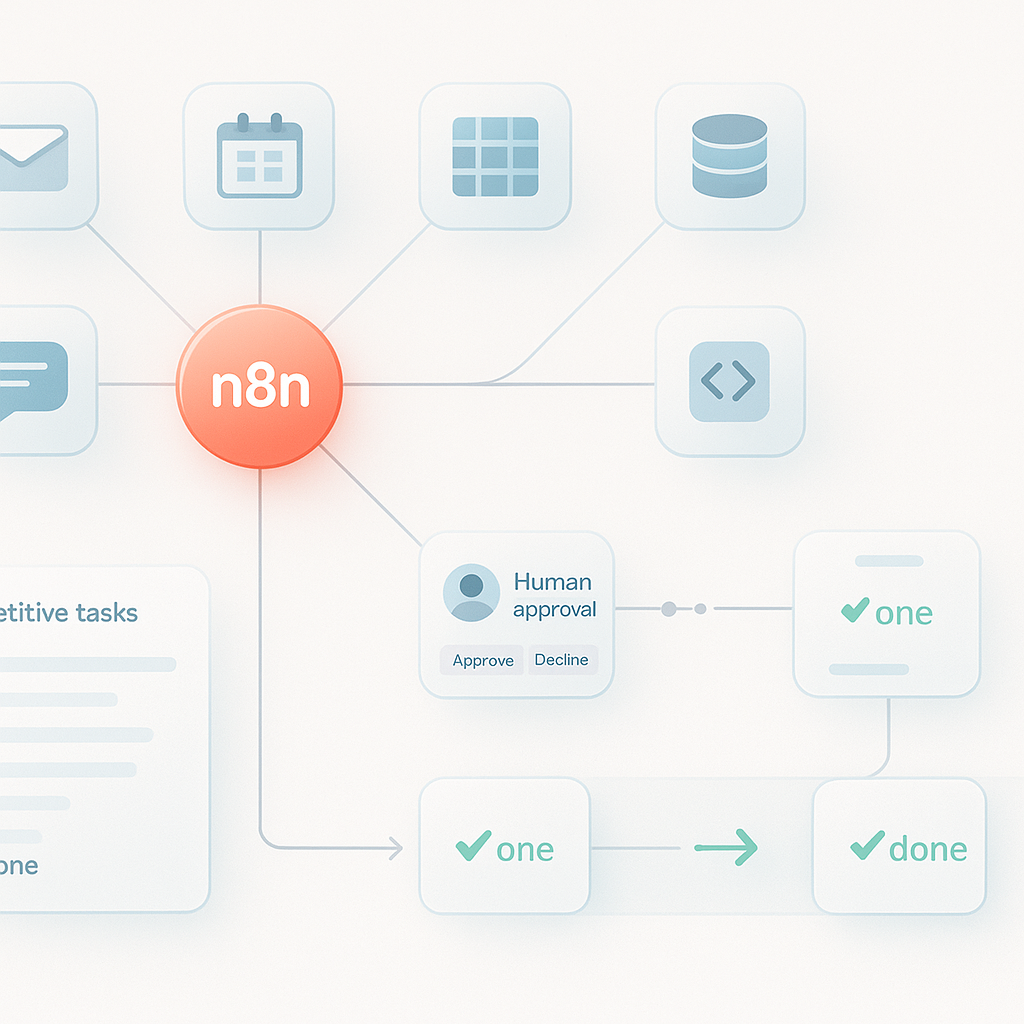
## Stop Doing Busywork: Let n8n Do Your Daily Grunt Work
If it feels like half your day disappears into copy‑paste, status pings, and routine updates, you’re not alone. The average knowledge worker spends hours every week moving information between systems. That’s not just tedious—it’s expensive. The fix isn’t another app; it’s a layer that coordinates the tools you already use. That’s where n8n shines.
n8n is a powerful, extensible workflow automation platform that connects your stack with hundreds of nodes and integrations. It listens for triggers (events, schedules, webhooks), runs logic to transform data, and executes actions across your apps—without brittle scripts or endless tabs. In short: you define the process once; n8n runs it every time.
## What Makes n8n Different
- Open and flexible: Self-host or use cloud. Extend with custom nodes when needed.
- Event-driven and programmable: Triggers, conditions, loops, and branching give you precision without heavy code.
- Transparent by design: Executions are logged, versioned, and inspectable—perfect for audits and debugging.
- Human-in-the-loop friendly: Approvals, notifications, and error-handling keep people informed and in control.
## Find the Grunt Work Worth Automating
Start where impact meets simplicity. Look for repetitive, rules-based tasks that occur daily or weekly and touch multiple tools. Common candidates:
- Lead and customer ops: Capture form fills, enrich leads, update CRM, alert sales.
- Finance and admin: Invoice routing, receipt collection, expense approvals, reminders.
- Marketing workflows: Content scheduling, UTM checks, asset syncing, performance reports.
- Support and success: Ticket triage, SLA reminders, follow-up sequences, CSAT syncing.
- Data hygiene: Deduping, enrichment, nightly syncs, backup exports.
If you can articulate a clear trigger, a handful of steps, and a consistent outcome, n8n can automate it.
## A Simple Playbook to Start Automating with n8n
1) Choose where to run: Cloud is fastest to start; self-hosting gives control over data and cost. Either way, set up credentials via n8n’s built‑in vault.
2) Map one small process: Write the trigger, inputs, decisions, and outputs on a single page. If you can’t explain it simply, refine the logic before you build.
3) Pick a trigger node: Webhook, Cron (schedule), App trigger (e.g., new row in a spreadsheet), or IMAP Email. Start with the most reliable source of truth.
4) Transform as you go: Use Set, IF, Merge, and Function nodes to shape payloads. Normalize field names early to keep downstream nodes clean.
5) Add guardrails: Handle errors with a separate error workflow. Use retries, timeouts, and rate limits to be a good API citizen.
6) Test in isolation: Run with sample data. Add alerts for failures and first-day successes so you know it works in production.
7) Document and tag: Name nodes clearly (Verb – Object), tag workflows by domain (Sales, Finance), and note ownership and SLAs.
## Five Automations You Can Ship This Week
1) Lead capture to CRM with enrichment and alert
- Trigger: Webhook connected to your website or form tool.
- Enrich: Call a data enrichment API (e.g., company domain to firmographic data).
- Score and route: IF node to prioritize by company size or persona.
- Action: Create/Update in CRM, then ping a Slack channel with key fields and a link.
- Pro tip: Use Upsert patterns (search first, then create) to avoid duplicates.
2) Inbox triage with smart routing
- Trigger: IMAP Email for a support or sales inbox.
- Classify: Filter by subject/keywords; optionally use an AI node to categorize intent.
- Action: Create a ticket, apply labels, assign owner, and send a polite auto‑reply with SLA.
- Pro tip: Add a human approval node for VIP senders so nothing slips through.
3) Invoice processing and reminders
- Trigger: Files added to a cloud drive folder or attachments received via email.
- Extract: Parse PDF for vendor, amount, and due date using an OCR/parse node.
- Action: Create a bill in your accounting system; schedule a reminder 7 days before due.
- Pro tip: If confidence in OCR is low, route to a manual check step before posting.
4) Weekly marketing performance digest
- Trigger: Cron every Monday morning.
- Collect: Pull metrics from ads, analytics, and email platforms.
- Transform: Calculate week-over-week deltas; flag anomalies.
- Action: Send a formatted summary in Slack or email with highlights and links.
- Pro tip: Keep the digest consistent—same time, same layout—so teams trust it.
5) Nightly data hygiene
- Trigger: Cron at off-peak hours.
- Process: Fetch contacts from CRM; remove exact duplicates; normalize phone and country fields.
- Action: Write back updates and log a CSV of changes to cloud storage for audit.
- Pro tip: Tag records modified by automation to simplify troubleshooting.
## Design for Reliability and Scale
- Idempotency first: Design workflows so re-running an execution doesn’t create duplicates. Use Upsert and record IDs.
- Error isolation: Route errors to a dedicated workflow that logs context, notifies owners, and provides a retry button.
- Rate limiting: Respect API quotas with built‑in delay and batch nodes. Back off on 429/5xx responses.
- Secrets management: Store API keys in n8n credentials, not in nodes. Rotate keys and restrict scope.
- Environments: Separate dev/test/prod projects or instances. Promote changes intentionally; avoid editing live workflows.
- Observability: Enable execution logs, add success/failed counters, and post health pings to a heartbeat channel.
- Version control: Export workflows, keep them in Git, and document changes alongside business rules.
## Prove the ROI Early
- Baseline: Time how long the manual process takes and how often it occurs.
- Calculate: Time saved per run × frequency × hourly cost of the role.
- Include quality: Track reduction in errors, faster response times, and improved SLA adherence.
- Visualize: Share a simple dashboard of runs, successes, and hours saved. Celebrate wins to build momentum.
Example: If your lead routing automation runs 40 times a week, saves 4 minutes each, and your blended cost is $50/hour, you save roughly 2.7 hours and $135 weekly—over $7,000 per year. That’s one workflow.
## Common Pitfalls (and How to Avoid Them)
- Over-automating fuzzy processes: If rules change weekly or require judgment, keep a human approval step.
- Silent failures: Always notify on errors and early runs. No news is not good news.
- Hidden complexity: Don’t bury logic in long chains. Break big flows into reusable sub-workflows.
- Permissions drift: Review which credentials a workflow uses and who can edit it. Principle of least privilege.
## Conclusion: Make Work Flow, Not Harder
Every business has hidden tax in the form of manual, repetitive work. n8n lets you recapture that time—safely, transparently, and at your pace. Start small, build one reliable workflow, and let the results fund the next.
Call to action:
- Pick one task from this week’s to-do list that fits the criteria above.
- Map it in 10 minutes, build it in n8n, and ship it within a day.
- Measure the impact, then repeat with the next highest-leverage process.
Let n8n handle the grunt work so your team can do the creative, strategic, and human work that actually moves the business forward.