The 5 Stages of AI Adoption for Business Teams (And Where Most Get Stuck)
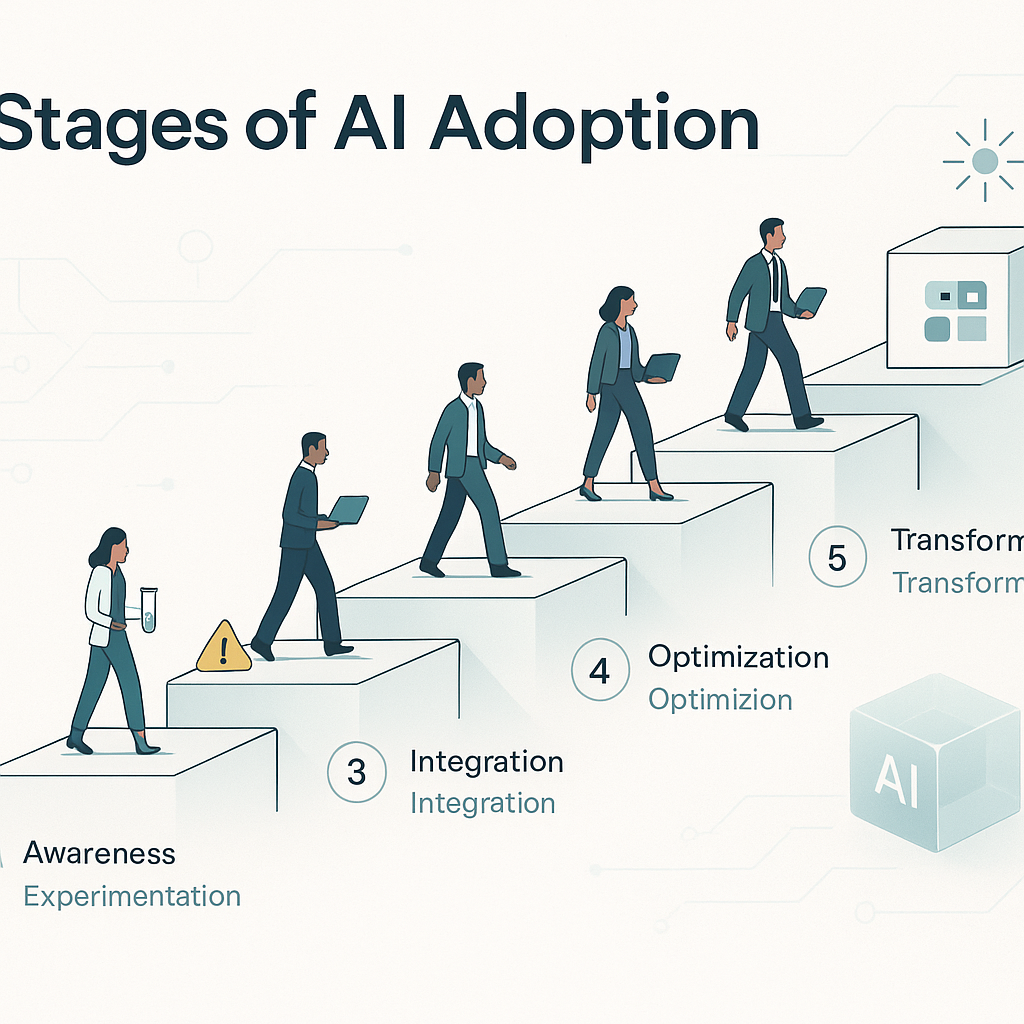
Most conversations about AI adoption make it sound simpler than it is. Buy a tool, run a training, and expect productivity to rise.
That is not how it usually goes inside a real business team.
What actually happens is more gradual. A few people test things on their own. One task starts working better. Then the team runs into the harder part: changing the way work moves between people, systems, and review steps.
There are five recognizable stages most teams move through. If you can tell which stage you are in, you can make better decisions about what to improve, what to automate, and what to leave alone for now.
Stage 1: Curiosity without structure
This is where most teams start. Individuals are trying tools on their own.
One person uses ChatGPT to draft an email. Someone else uses AI to clean up meeting notes. Another person tests a summary tool after a client call. There is interest, but no shared method, no common standards, and no clear business target.
That is not a problem by itself. Early experimentation helps people learn what these tools are good at and where they fall short.
The risk is staying here too long.
When there is no structure at all:
- everyone develops different habits
- nobody knows which uses are actually saving time
- managers cannot tell what is safe, useful, or repeatable
- the team has nothing concrete to build on
At this stage, do not force a full standard. Instead, collect what is already working.
Useful questions:
- Which tasks are people already using AI for?
- What output still needs review?
- Where did it save time more than once?
- Which attempts created extra cleanup work?
You are looking for patterns, not perfect policy.
Stage 2: First real use cases
This is the first point where adoption becomes operational.
Instead of isolated experiments, the team has a specific task they can point to and say: we now do this with AI support.
Common examples include:
- drafting weekly report first drafts
- summarizing client or sales calls
- turning rough notes into a project brief
- generating estimate language from a standard scope
- cleaning up CRM records after calls or meetings
The key here is repeatability. The task should happen often enough that saving a few minutes each time adds up.
This stage matters because it shapes trust.
If the first real use case is slow, awkward, or unreliable, the team backs away. If it helps with a real task and keeps the review burden reasonable, people start to take it seriously.
Many teams get stuck here because they pick the wrong starting point.
Poor first use cases are usually:
- too complex
- too sensitive
- too rare to matter
- too dependent on judgment with no clear review rule
- too disconnected from daily work to build momentum
Better first use cases usually have:
- high volume
- predictable inputs
- low downside if the draft is imperfect
- a human reviewer already in the process
- a clear before-and-after time comparison
A good early win is not flashy. It is practical. It helps with inbox triage, summaries, status updates, intake notes, or first drafts that already had a review loop anyway.
Stage 3: Workflow integration
This is where AI stops being a side task and starts affecting the actual workflow.
Instead of someone manually copying text into a tool every time, the output starts showing up where work already happens.
Examples:
- a call summary is added to the CRM after a meeting
- a draft estimate is created when intake details are submitted
- a project brief is generated before the kickoff handoff
- support tickets are categorized before a team lead reviews them
- meeting notes are routed into the right internal record automatically
This is also where most teams stall.
The problem is usually not the tool. The problem is process ownership.
Workflow integration changes handoffs. It affects who reviews what, when something gets approved, where records live, and what counts as complete work. That creates friction fast.
Questions start coming up:
- Who owns the prompt or workflow?
- Who fixes bad output?
- Does this replace part of someone’s task or add another review step?
- Where should the output live: inbox, CRM, ticket system, calendar note, or SOP?
- What happens when the workflow fails?
If nobody owns those decisions, the tool stays optional. People use it when they remember, skip it when they are busy, and eventually stop treating it as part of the process.
Teams that move through this stage usually have someone who can bridge operations and implementation. Not necessarily a technical specialist. Often it is just a credible operator who understands both the workflow and the people affected by it.
A simple check for Stage 3 readiness:
- the task already exists in a stable workflow
- the handoff points are clear
- a reviewer is defined
- success can be measured in time saved, response time, or fewer missed steps
- someone is responsible for maintaining the workflow
Stage 4: Team-level skill building
At this point, the team is no longer relying on one-off wins. People are learning how to use AI better together.
That does not have to mean formal training programs. In many businesses, it looks more ordinary than that.
It might mean:
- shared prompt examples for common tasks
- a standard way to summarize calls or meetings
- agreed rules for what can go into a draft invoice, report, or estimate
- notes on when human review needs to be heavier
- a documented SOP for using AI in one part of the workflow
What matters is that the learning becomes shared instead of staying with one enthusiastic person.
Teams in this stage have enough experience to know where the tool helps and where it causes extra work. They have seen mistakes. They have adjusted. They know, for example, that AI may be fine for a first draft of a status report but not for a final client recommendation without review.
That kind of team knowledge is useful because it reduces randomness. New staff do not have to guess. Existing staff do not have to reinvent the method every week.
Stage 5: Continuous refinement
The final stage is not a finish line. It is an operating habit.
Teams here treat AI workflows the way good operators treat any recurring process: something to monitor, tighten up, and change when needed.
That means they notice when:
- a workflow that used to save time now creates rework
- the input quality has dropped
- review steps are too heavy or too light
- the output belongs in a different system
- a newer tool or method may be worth testing
They do not chase every new tool. They also do not assume the first version of a workflow should stay unchanged.
This matters because business processes move. Intake forms change. CRM fields change. Team roles change. Client expectations change. An AI workflow that worked six months ago may need a better trigger, a different review step, or a narrower job.
Where most teams get stuck
The two most common stall points are Stage 2 and Stage 3.
Stage 2 breaks when the first use case is chosen badly. The team tries to automate something messy, high-risk, or too subjective. People lose confidence before they see value.
Stage 3 breaks when nobody owns the process change. The tool may work, but the workflow does not. Outputs land in the wrong place, review rules stay vague, and staff treat the whole thing as optional.
Both problems come from the same mistake: treating adoption as a software decision instead of an operating decision.
If you want progress, start with the work itself.
Look at:
- where people repeat the same drafting or summarizing task
- where handoffs regularly slow down
- where inboxes, calendars, CRM updates, or status notes pile up
- where the review loop is already clear enough to support a first use case
Then pick one workflow that is useful, frequent, and survivable if the first draft is imperfect.
That is usually a better next move than another general training session or another tool trial.
If you want direct help, Leaf Lane's services are built around that kind of structured guidance, support, and hands-on implementation.