Build a Tiny Internal Tool Before You Buy Another App
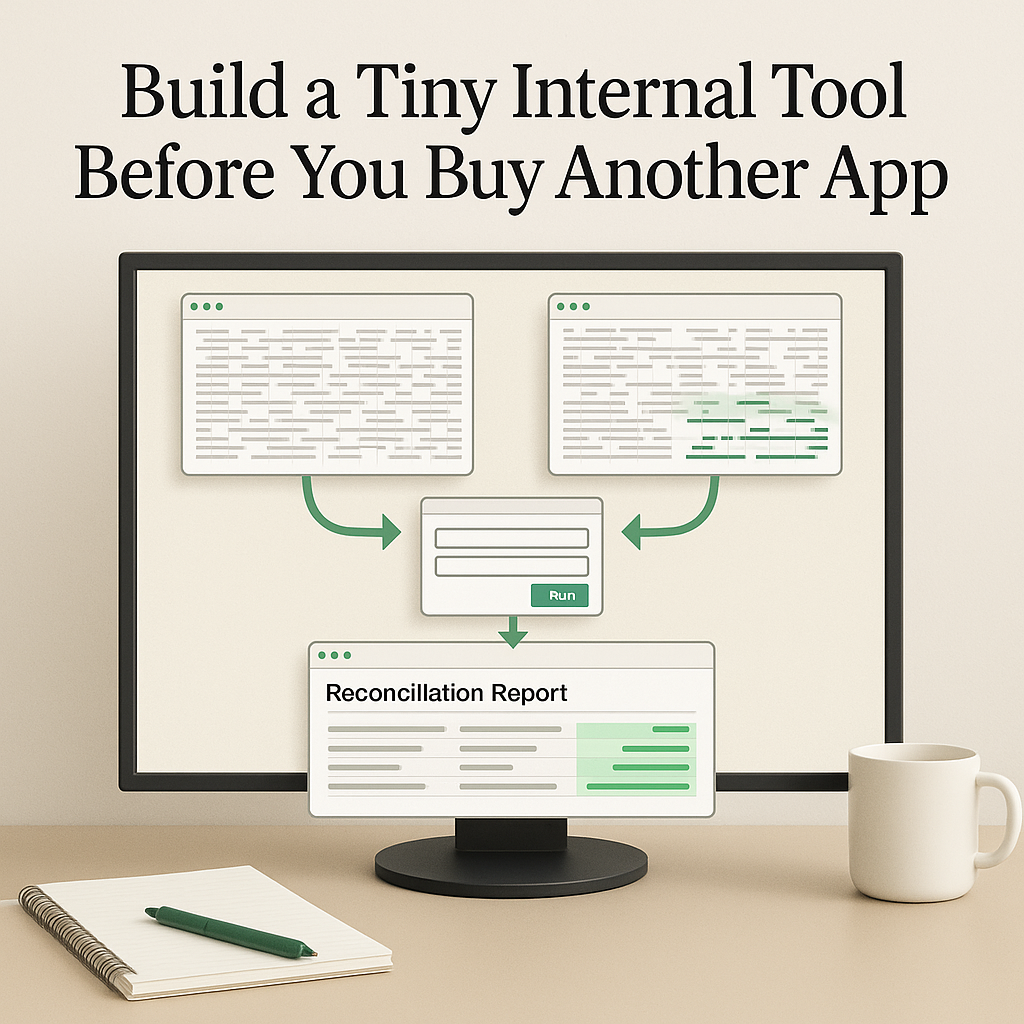
A lot of operational improvement starts in a much less exciting place than a software demo.
It starts with a task people keep doing because nobody has fixed it yet.
Someone exports a CSV from Stripe. Someone else pulls an accounting report. A folder fills up with PDFs that need to be renamed before they can go to a client. A manager copies numbers from two systems into a weekly spreadsheet and checks whether anything looks wrong.
These jobs are often too small for a formal software project and too annoying to leave manual forever. That is where a tiny internal tool can help.
The point is not to build a polished product. The point is to turn one repeated workflow into a small utility that runs locally, creates a useful output, and keeps the final judgment with a person.
Start with the task that keeps coming back
The best first use case is a task with a stable shape.
Good examples:
- reconcile two exports
- compare a new price list against last month’s file
- check a folder for missing client documents
- rename a batch of PDFs using a naming rule
- flag invoices that do not match a purchase order
- create a weekly report from a known spreadsheet
These are not glamorous jobs. That is usually a good sign.
Boring tasks tend to have:
- clear inputs
- a repeatable process
- an output someone can review
- obvious pain when errors slip through
A useful first prompt is specific about the actual work:
Build a small local tool for reconciling Stripe payouts against the accounting export in /path/to/accounting. It should accept two CSV files, match transactions by date and amount, flag unmatched rows, and generate a clean reconciliation report. Add a README with usage instructions and include a sample command. Run it against the sample files and show the output summary.
That prompt gives Codex something concrete to work with. It names the files, the matching rules, the output, the documentation, and the check that proves it ran.
Give Codex the real shape of the work
A tiny tool gets useful when Codex can inspect the real inputs instead of guessing.
That usually means:
- sample files
- a short note on the business rule
- a few examples of known matches and exceptions
- access to the local folder structure around the task
If the work touches a repo, Codex can inspect existing scripts, package files, tests, and README patterns. If it does not live in a repo, it can still work from sample CSVs, PDFs, spreadsheets, or local folders.
For a reconciliation workflow, a practical starting set might include:
- one Stripe payout export
- one accounting export
- a note explaining which columns should match
- a few known matched and unmatched transactions
- a preferred output format such as HTML, CSV, or Markdown
The output should be something an operator can actually review.
A strong first report might show:
- matched rows
- unmatched Stripe rows
- unmatched accounting rows
- totals by category
- a short list of records that need human judgment
That is a better starting point than asking for a big system too early. You learn whether the rules are stable before you commit to anything larger.
Put approval gates where mistakes would matter
A tiny internal tool should remove repeated effort without quietly taking over decisions that still need review.
That matters most in the handoff between machine work and business judgment.
Examples:
- For finance workflows, the tool can match transactions and flag exceptions. It should not move money, edit the accounting system, or mark a reconciliation complete without approval.
- For document workflows, it can propose file names and show a before-and-after preview. It should not overwrite originals unless the user approves the plan or the tool creates a reversible backup.
- For client packet workflows, it can check whether required files exist and assemble a draft folder. It should not send the packet until a person reviews it.
These review gates are what make a small tool safe enough to use in real operations.
The tool handles the repeatable checks. The person keeps:
- judgment
- accountability
- client-facing decisions
- final approval
What the first version should include
The first version does not need much, but it does need the right pieces.
A solid tiny internal tool usually includes:
- a simple way to run it, such as a CLI command, script, or local page
- a README with exact usage instructions
- sample input files or fixtures for testing
- a clear output artifact such as a report, exception list, preview, dashboard, or checklist
- visible limitations written down plainly
Those limitations matter.
If the tool matches by date and amount only, say that. If it cannot handle refunds yet, say that. If it assumes a certain column name, document it.
This is where Codex starts to feel less like chat and more like practical support for operations. It can inspect files, write the utility, add notes, run it against samples, and show the output summary.
Why this can be better than buying another app
Buying software makes sense when the workflow is broad, shared across many people, or tied to systems that need long-term support.
But many manual tasks sit in the cracks between systems.
They are often:
- too specific for an off-the-shelf product
- too narrow for a custom app proposal
- too frequent to keep doing by hand
A tiny internal tool gives you a lower-risk way to learn.
If it saves time, you learn which rules actually matter. If it exposes messy data, you learn what has to be fixed upstream in the CRM, spreadsheet, inbox process, or export habits. If the edge cases pile up, you learn that before paying for a larger implementation.
That makes the first version a discovery step with immediate value, not a side project for its own sake.
If it works twice, package the pattern
When the same workflow works more than once, the next step is to make it reusable.
OpenAI’s Codex skills documentation describes skills as reusable workflows that can include instructions, resources, and optional scripts so Codex can follow a task-specific process reliably: https://developers.openai.com/codex/skills
For the reconciliation example, a skill could define:
- which folders to inspect
- which sample files to request
- how to validate column names
- what report format to produce
- which actions require approval
The script can live inside the skill, while the instructions explain how to run it safely.
This matters because the workflow stops living in one person’s memory.
Instead of saying, “Can you do that CSV thing again?” the team has a named process with known inputs, checks, and outputs.
That is useful for handoffs, onboarding, and consistency across repeated tasks.
Some tools should stay manual. Some should become automations.
A small tool does not need to become a scheduled automation. Some should remain manual because the review step is the real work.
But when a task becomes routine and low-risk, automation can make sense.
OpenAI’s Codex automations documentation explains that recurring tasks can run in the background, report findings to the inbox, and combine with skills for more complex work: https://developers.openai.com/codex/app/automations
The key question is not whether a script can run on a schedule. The question is whether it should.
A weekly reconciliation automation might:
- check whether both source exports exist
- confirm they were updated recently
- verify the file format still matches expectations
- stop and report the blocker if any check fails
- generate the report and flag exceptions if the checks pass
That kind of automation prepares the work. It should still avoid final actions that require judgment.
It can:
- gather inputs
- run checks
- create drafts
- highlight problems
- send a summary back for review
It should not make the final financial decision, send client-facing material, or close the loop without approval.
A simple rule for deciding when to build one
Consider a tiny internal tool when a task has most of these traits:
- it repeats often enough to be annoying
- the inputs are reasonably consistent
- the desired output is clear
- mistakes are visible and reviewable
- a person can approve the final action
- the team is not ready to buy or build a larger system
Skip it, or narrow the scope, when:
- the rules are still unclear
- the source data is unreliable
- the workflow requires judgment on almost every row
- there is no obvious review step
The useful middle ground is simple: turn the repeatable part into a dependable artifact, then review the parts that still need a person.
What to try this week
Pick one task that happens at least monthly.
Then gather:
- two or three real sample files
- the current manual steps
- the exact output you wish someone could review instead of build by hand
Ask Codex for the smallest local utility that can produce that output from those samples.
Do not start with a platform decision. Do not ask for a full app. Ask for:
- the smallest working tool
- a README
- sample usage
- a test run against the sample files
If it works once, improve it. If it works repeatedly, package it as a skill. If it becomes routine and low-risk, consider an automation that prepares the work and sends exceptions back to a human.
That path usually tells you more, costs less, and creates less operational drag than adding another app before you know what really needs fixing.