Before You Pick an AI Tool, Decide What Needs Direction
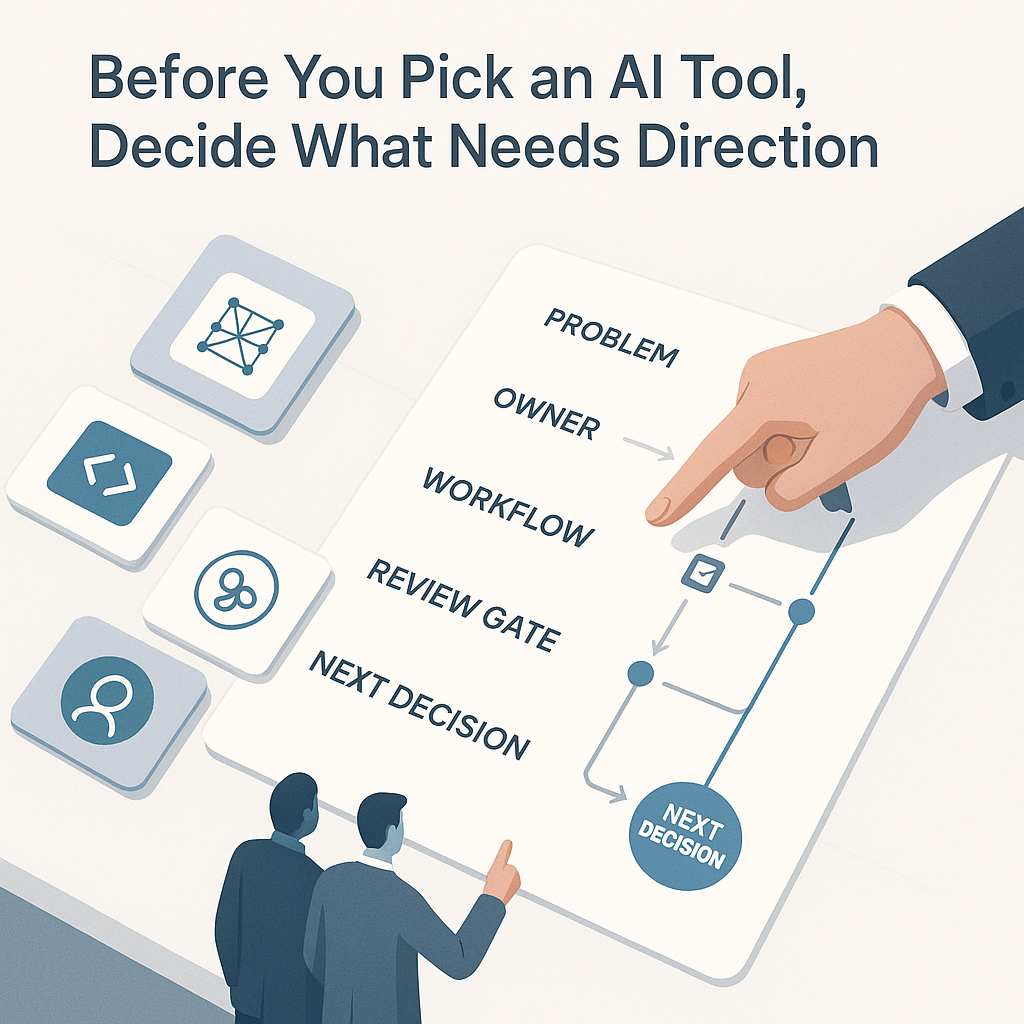
Most businesses do not have an AI access problem.
They have a direction problem.
The tool discussion is easy to start. Someone sees a meeting recorder, writing assistant, automation platform, coding agent, or inbox tool. The demo looks useful. The monthly cost seems reasonable. The team asks whether they should try it.
Sometimes they should. But the better first question is simpler:
What part of the business needs clearer direction right now?
If that question gets skipped, AI adoption usually turns into scattered trials. A few people test prompts. A few subscriptions get added. A few summaries or drafts appear. Meanwhile, the same bottlenecks remain: slow follow-up, weak handoffs, messy CRM records, unclear approvals, and no clear answer to whether anything actually improved.
Direction is what makes a tool useful in operations.
A tool does not fix a vague workflow
AI can draft, summarize, classify, transcribe, search, route, and recommend. That is not the hard part anymore. The hard part is deciding where those capabilities belong in real work.
For most teams, that means getting specific about a few operating questions:
- Which recurring task is painful enough to improve?
- Who owns the outcome?
- What information does the system need?
- Where does that information live now: inboxes, call notes, calendars, SOPs, tickets, or CRM records?
- What should the system produce?
- Who checks it before it affects a customer, invoice, estimate, or schedule?
- What would make the workflow worth keeping after the first week?
Those questions are less exciting than a product demo, but they are where most of the value comes from.
A business does not get results from AI because the tool is impressive. It gets results when the tool is placed inside a clear workflow with real ownership, review rules, and a next step the team will actually use.
Start with the operating problem
A useful AI conversation should begin with the work, not the software.
For a service business, the problem might be missed calls and intake notes that never become clean follow-up tasks.
For a sales team, it might be estimates that sit in drafts because key details are buried in email threads and call summaries.
For an operations manager, it might be handoffs between front office and field staff that depend too much on memory and Slack messages.
For a support team, it might be tickets that get tagged inconsistently, making reports unreliable and review loops slow.
For a leadership team, it might be a looser but important issue: people are already using AI, but there are no clear rules for private data, approvals, or customer-facing output.
Each of those problems could lead to different tools. That is exactly why direction has to come first. Once the business is clear on the job, the constraints, and the review model, tool selection gets easier.
Run a simple direction check before you buy
Before adding another AI tool, pressure-test the idea with a short direction check.
Name the problem in plain language
If the problem can only be described as “we need to use AI,” it is not ready.
A real problem sounds like:
- New leads wait too long for a response
- Call notes do not turn into CRM updates
- Weekly reports take two hours of copying and formatting
- Customer feedback is scattered across forms, email, and recorded calls
- Invoices get delayed because approval details are incomplete
Plain language forces useful scope.
Name the owner
Someone should own whether the workflow helps the business, rather than whether the software runs.
That owner might sit in operations, sales, support, finance, or leadership. Without one, the pilot usually fades after setup because nobody is responsible for fixing the rough parts.
Define the input and output
What goes in, and what must come out?
Inputs might include:
- recorded calls
- intake forms
- emails
- ticket notes
- CRM records
- spreadsheets
- SOPs
Outputs might include:
- a draft follow-up email
- a cleaned call summary
- an updated CRM record
- a triage list
- a proposal outline
- a weekly exception report
- a task created for the next team
A vague promise to “save time” is hard to evaluate. A specific artifact is easier to judge.
Set the human review gate
Some work can run with light oversight. Other work needs explicit approval because it affects:
- customers
- money
- calendars
- contracts
- compliance
- staff trust
- public messaging
If the output changes an invoice, sends a message, updates a customer record, or triggers a schedule change, define the review step before launch.
Decide what success looks like
A useful pilot should have a small, practical target.
Examples:
- fewer missed follow-ups
- faster first drafts for estimates
- cleaner handoffs between teams
- more complete CRM records
- fewer manual copy-paste steps
- better visibility into unresolved tickets
This does not slow adoption down. It prevents the team from spending time on a trial that was never tied to an operating need.
Why outside advisory work can help
This is where practical AI advisory work earns its place.
The main value is not knowing every tool in the market. That is not realistic, and it is not what most businesses need. The useful role is helping a business decide what matters first, what can wait, what should stay human, and what needs process cleanup before any software gets added.
That often means helping with work like this:
- mapping the current workflow before changing it
- separating real bottlenecks from tool curiosity
- choosing a narrow first pilot instead of a broad rollout
- writing rules for data access, approval, and rollback
- turning output into something the team can use in daily work
- checking what broke after launch and tightening the loop
This work is quieter than chasing every new release. For most small and mid-sized teams, it is also more useful.
A better first step this week
If your business is considering another AI tool, do not start with a feature comparison.
Start with one workflow that keeps causing drag.
Use a short format like this:
- The problem is...
- The owner is...
- The input is...
- The output should be...
- A human must review it when...
- We will keep it if...
That short exercise often changes the decision.
Sometimes it shows that you do not need a new tool yet. You may need a better intake form, a clearer handoff, a shared checklist, or one owner for the process.
Other times, it reveals a narrow AI workflow that is worth building because the job, review step, and outcome are already clear.
Either result is useful. It gives you a way to improve the business without adding software just because the demo looked good.
Source notes
This article was inspired by a May 8, 2026 post from Brandon Gadoci (@bgadoci), who framed the AI consulting gap as direction rather than tool access: https://x.com/bgadoci/status/2052631853044031607
If you are deciding where AI belongs, the next good move is not shopping. It is choosing one workflow where better direction would remove friction for the team this month.