Build an AI Tool Directory Before Your Stack Sprawls
Small businesses rarely lose control of AI tools in one big moment. It usually happens through ordinary work.
Marketing tests a writing app. Sales adds a call summary tool. A manager signs up for a research assistant. A contractor brings in an automation app to move data between forms and spreadsheets. Some of those tools help. Some get abandoned. Some start touching customer records, inboxes, calendars, estimates, or internal SOPs before anyone has decided if that should be allowed.
The issue is not that people tried tools. The issue is that the business has no reliable record of what those tools do, who owns them, what they cost, and what information they can access.
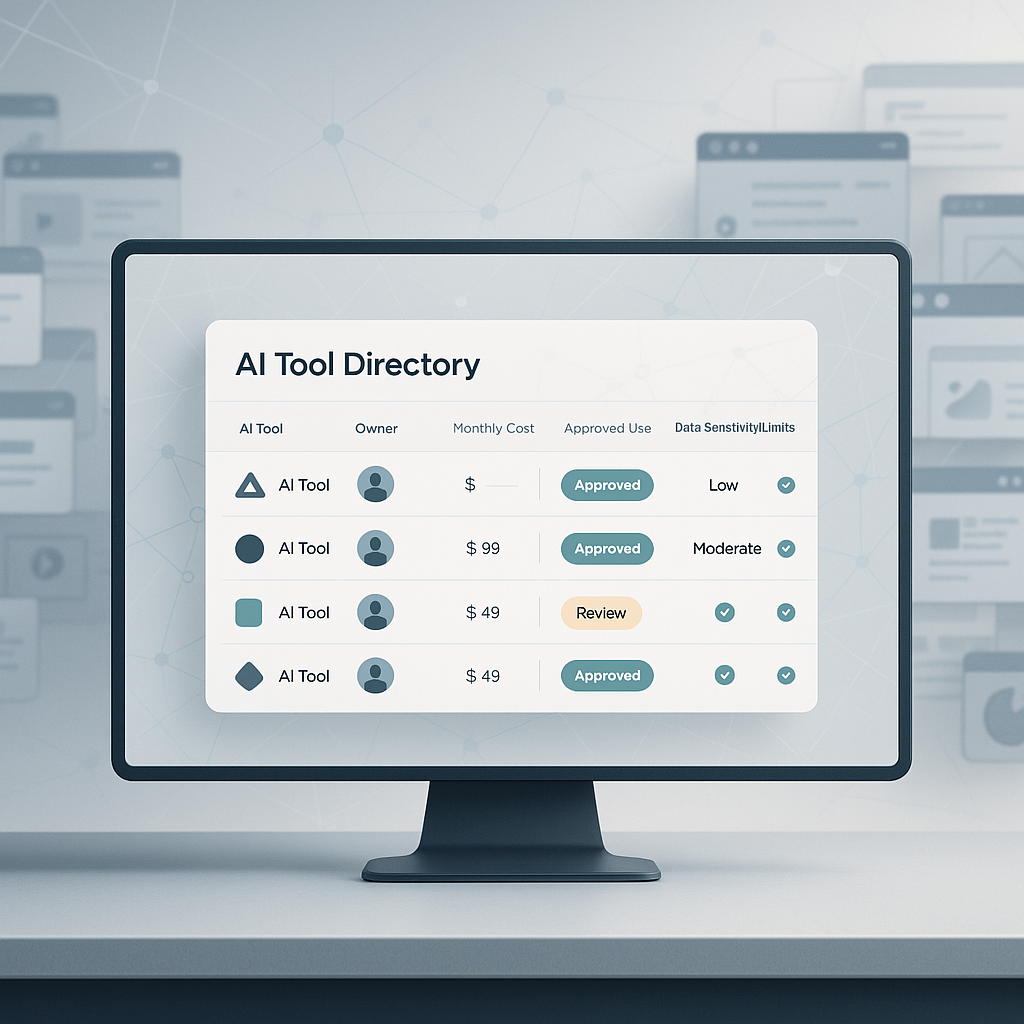
A simple list of apps does not fix that. Lists go stale fast. What helps is a living AI tool directory: an operating record you can review and update as work changes.
Start with the operating problem
The first question is usually framed the wrong way.
Instead of asking, "Which AI tools should we use?" ask, "Which work are we trying to improve, and what tools are already involved?"
That shift matters because AI use often hides inside regular business activity:
- card charges and software invoices
- browser bookmarks and saved logins
- Slack or Teams messages
- project notes and SOP drafts
- meeting summaries and call follow-ups
- CRM records and ticket workflows
- contractor handoffs
- old free trials that never got reviewed
A practical directory pulls those signals into one place so someone can make decisions.
It does not need to be elaborate. A spreadsheet, database, Airtable base, Notion page, or even a Markdown file can work if the information is clear enough to review.
Record what an operator actually needs
At minimum, each tool entry should answer basic operating questions.
- Tool name
- Purpose
- Business owner
- Monthly or annual cost
- Approved use cases
- Data restrictions
- Connected systems
- Current users
- Known risks
- Replacement candidates
- Decision status: keep, test, consolidate, cancel, or needs review
- Next review date
This changes the conversation.
You are no longer asking whether the company has the newest AI apps. You are asking whether the tools in use are useful, safe enough for their role, redundant, or wasting money.
For example, if two different tools both summarize sales calls and push notes into the CRM, the directory should make that overlap visible. If one note taker is approved for internal meetings but not for customer calls, that should be explicit. If an automation tool can read invoices from a finance inbox, that should not live only in one employee's memory.
Build the first version in a few passes
You do not need a perfect inventory on day one. You need a useful first draft.
Pass 1: find what already exists
Start with the obvious places.
- company card charges
- subscription reports
- app marketplace billing
- browser bookmarks
- saved workspace links
- recent project notes
- internal documentation where AI tools are mentioned
- employee and contractor input
The goal is not full completeness. The goal is to find tools that are already costing money, changing work, or touching business information.
Pass 2: group by purpose
Do not organize only by vendor name. Group tools by the work they affect.
- writing and editing
- meeting notes and call summaries
- research
- customer support
- workflow automation
- internal knowledge and search
- reporting and analysis
This makes overlap easier to spot. If three tools all help draft emails, summarize calls, or answer internal questions from SOPs, you can compare them as substitutes rather than treating them as separate purchases.
Pass 3: assign an owner
Every active tool needs a person who can answer basic questions.
- Why do we use it?
- Who relies on it?
- What happens if we cancel it?
- What data goes into it?
- Is there a better replacement?
If nobody owns a tool, that is a signal by itself. Unowned tools should not quietly remain in the stack forever.
Pass 4: define the data boundary
For each tool, decide what information is allowed and what is off-limits.
That might include rules around:
- customer data
- employee information
- financial records
- legal documents
- proprietary process details
- contract terms
- inbox access
- CRM access
- calendar access
- file storage access
This does not need to become a heavy policy project right away. It does need to be visible enough that people are not guessing.
Pass 5: set the next decision
Each row in the directory should move toward action.
- keep it
- test it longer
- consolidate with another tool
- cancel it
- hold for review
That is what makes the directory useful. It is not a catalog. It is a decision record.
Use AI to prepare the review, not to make the decision
This is a sensible use case for an AI assistant because the hard part is often sorting scattered evidence into a format someone can review.
A prompt can ask the assistant to scan subscriptions, bookmarks, invoices, project notes, and tool mentions, then draft a working directory with standard fields.
For example:
- purpose
- owner
- monthly cost
- approved use cases
- data restrictions
- replacement candidates
- whether to keep, test, consolidate, or cancel
That saves time. But the assistant should not make final purchasing, security, or policy decisions on its own.
A person still needs to confirm the tool list, verify costs, approve data rules, and check whether canceling something will break a workflow.
Good approval gates include:
- before canceling a paid tool
- before approving customer data in a tool
- before connecting a tool to email, CRM, finance, calendar, or file storage
- before changing a team-wide default
- before replacing a tool embedded in a customer workflow
That is the practical line. Let the assistant reduce research and formatting work. Keep judgment with the business.
Focus on outputs that help you decide
The final output should make choices easier for the owner, operator, or team lead.
A strong first version includes:
- a current tool directory
- a short list of duplicate or overlapping tools
- an estimated monthly cost
- tools with unclear owners
- tools with risky or undefined data use
- tools to cancel or consolidate
- tools worth a deeper pilot
- tools that should become approved defaults
- open questions that need human review
Those outputs are directly useful in real operating conversations.
They help answer questions like:
- Why are we paying for three meeting note tools?
- Which app is connected to the shared support inbox?
- Can this contractor-approved tool access customer files?
- Which AI app should the team use by default for drafting estimates or summaries?
- Which tool is helping enough to justify a wider rollout?
Turn the review into a repeatable workflow
Once the first directory exists, the repeatable parts can become a reusable workflow.
OpenAI's Codex documentation explains skills as a way to package task-specific instructions, resources, and optional scripts so Codex can follow a workflow reliably: https://developers.openai.com/codex/skills. OpenAI also describes automations as recurring background tasks that can combine with skills for more complex work: https://developers.openai.com/codex/app/automations.
In this case, a skill could define:
- which sources to check
- which fields to capture
- which approval rules apply
- which report format to produce
A monthly automation could then review new invoices, recent project notes, and newly mentioned tools, then prepare a change report for a person to approve.
That report might surface:
- new tools found
- costs that changed
- tools with no owner
- tools entering sensitive workflows
- tools due for review
- possible consolidation opportunities
- decisions waiting on a person
What it should not do is quietly cancel software, approve new tools, or change access behind the scenes.
The useful standard
Do not ask whether you have the perfect AI stack. That question expires quickly.
Ask whether you know:
- what tools are in use
- why they are there
- who owns them
- what they cost
- what data they can touch
- what decision is due next
If you can answer those questions, tool adoption becomes easier to manage. If you cannot, the stack will keep growing through side doors: free trials, team habits, contractor preferences, and rushed fixes to real workflow problems.
A living AI tool directory gives you a place to review those changes before they turn into recurring cost, messy handoffs, and avoidable risk. Start with the tools already affecting calls, calendars, inboxes, CRM records, and internal docs, then make one clear decision on each row.