The Daily Operator Briefing: Turn Scattered Signals Into a Workable Day
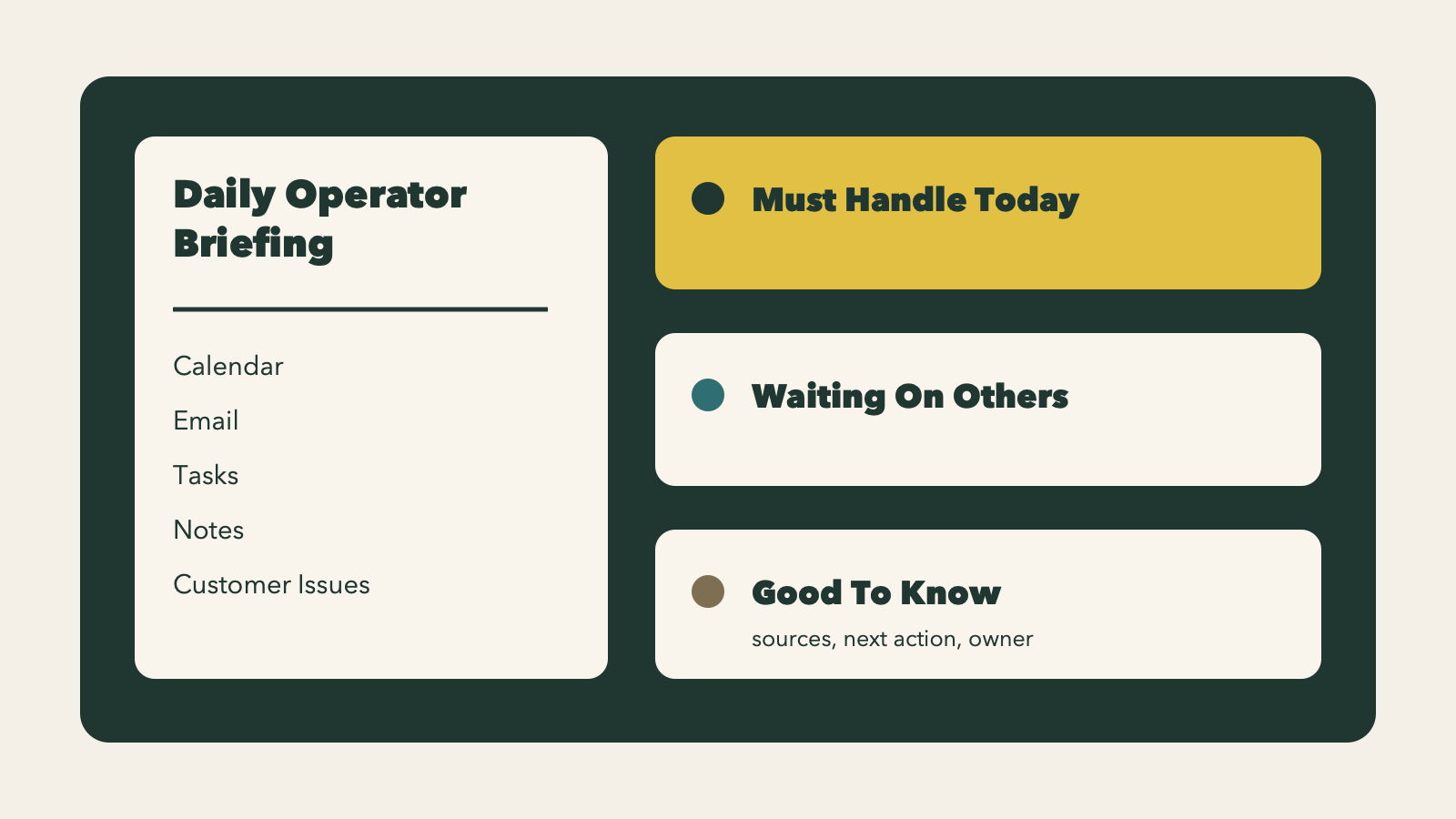
Most owners and team leads do not begin the day with one reliable view of what matters.
They begin with a calendar full of meetings, unread email, yesterday's notes, open tasks, customer issues, changed files, and a nagging sense that something important is buried somewhere. That is an operating problem, not a personal discipline problem.
A daily operator briefing helps because it turns scattered signals into a short plan you can work from.
This is different from a summary. A summary lists what exists. An operator briefing helps you decide what to handle, what is blocked, and what can wait.
Start with the signals you already have
A useful daily briefing does not need new software categories or a complicated process map. It starts with the systems your team already uses to run the day.
Typical inputs include:
- today's calendar
- unread or important email
- open tasks
- yesterday's daily note or closeout
- recently changed files in the operations folder
- open customer issues, tickets, or account notes
Codex can inspect those sources, connect related items, and produce a short operating plan. The point is not that it read more than you had time to read. The point is that it helps sort the pile into decisions.
For a small business, that can mean simple but high-value checks:
- a sales call on the calendar tied to an estimate still waiting for approval
- an invoice question in the inbox connected to a CRM note about a renewal risk
- a project handoff blocked because a file changed but was never reviewed
- a support ticket that should change the plan for the morning
The briefing should answer three practical questions
If the output tries to cover everything, it becomes another inbox. A good briefing stays short and answers three questions.
What must be handled today?
This section is for items with deadlines, customer risk, blocked revenue, scheduled commitments, or promises already made.
Each item should include:
- the source
- why it matters
- the next action
- who should own it
Example:
Must Handle Today
- Review contract revision from ACME before the 2 p.m. call.
- Source: calendar event plus unread email from legal.
- Suggested next action: read the redlines, approve clean changes, and flag anything that affects pricing.
- Owner: do personally.
That format matters because it removes guesswork. You do not need to remember why something is important or where it came from.
What are we waiting on?
This section reduces background stress. Many operators carry blocked work in their heads all day, which makes everything feel urgent.
When the briefing says plainly that a project is waiting on someone else, you can decide whether to follow up, delegate, or leave it alone until a set time.
Example:
Waiting On Others
- Vendor has not sent final inventory export.
- Source: yesterday's note and missing file in
/Operations/Inventory. - Suggested next action: send a short follow-up after 10 a.m. if the file is still missing.
- Owner: delegate to operations assistant.
This is useful in almost any operation:
- estimates waiting on scope details
- invoices waiting on approval
- customer onboarding waiting on signed paperwork
- internal handoffs waiting on a file, note, or status update
What is good to know?
Not every signal needs action. Some things are context.
That might include:
- a customer compliment worth sharing with the team
- a meeting time that changed but does not affect the day much
- a new file added by the bookkeeper
- a non-urgent update in an account record
This section keeps useful context visible without treating every input like a fire.
Keep the output operational, not clever
The structure is what makes the briefing useful.
You are not asking Codex to sound smart. You are asking it to inspect current context, preserve evidence, and help choose the next move.
A solid output usually includes:
Must Handle TodayWaiting On OthersGood To Know- a suggested next action for each item
- a source link or file path
- an owner recommendation: do personally, delegate, defer, or monitor
That owner recommendation is especially useful for managers and founders. It helps separate work only you can do from work someone else should carry.
Put approval gates around risky actions
The briefing can be generated automatically. The actions usually should not be.
Human approval belongs around:
- sending replies
- archiving or labeling email
- creating or assigning tasks
- changing customer records
- canceling or moving meetings
- escalating a customer issue
This is the safe operating model: let the system recommend action, then have a person approve action.
Many daily signals are ambiguous. A missed calendar invite might be harmless. A frustrated customer email might need a careful response. A CRM note might be outdated. Approval gates keep the workflow useful without letting small mistakes spread into customer or team problems.
Build it manually before you automate it
The first version does not need to be fancy. Start with a manual prompt and test the output against a real week of work.
Example prompt:
Create my morning operator briefing. Review today's calendar, unread important email, open tasks, yesterday's daily note, and any files changed in /Operations since yesterday. Return Must Handle Today, Waiting On Others, and Good To Know. Include source, suggested next action, and whether I should do it personally, delegate it, defer it, or monitor it.
Run that for a few days and check:
- Did it surface the right work?
- Did it miss obvious customer or revenue risk?
- Was the output short enough to use in under five minutes?
- Were the sources clear enough to verify quickly?
- Did the owner recommendations make sense?
Once the format works, package the workflow as a Codex skill. The skill can define the exact folders, apps, labels, source priorities, and output format. After that, schedule it as a recurring automation so the briefing appears every weekday morning.
OpenAI's Codex documentation supports this pattern: skills package task-specific instructions and resources, automations can run recurring work in the background, and official Codex use cases include inbox management, data analysis, QA, workflow automation, reports, and turning repeated workflows into skills.
References:
The main design rule: do not create another inbox
A daily briefing fails when it becomes long, vague, or uniformly urgent.
Good rules to keep it usable:
- if the output is too long, it failed
- if every item sounds urgent, it failed
- if it hides sources, it failed
- if the next action is unclear, it failed
- if ownership is missing, it failed
A good operator briefing earns trust by being short, sourced, and action-oriented.
Start in read-only mode. Let Codex gather signals and draft the plan, but require approval before it sends, archives, edits, or assigns anything. Once the briefing is consistently useful, automate the preparation first.
Then look for a few low-risk actions to add later, such as drafting a follow-up, creating a task suggestion, or flagging a blocked handoff for review. That is usually enough to save time without giving up control where it matters.