End-of-Day Memory Capture: A Codex Workflow for Work You Cannot Afford to Forget
Useful work often disappears between 4:30 p.m. and the next morning.
Not because people are sloppy. Because the details are spread across inboxes, calendar changes, meeting notes, modified files, chat threads, CRM records, and half-finished drafts. A promise made on a call never becomes a task. A customer risk sits in an email thread. A decision feels obvious at the time, then turns fuzzy by 9 a.m.
Most teams treat this as a discipline problem. Write better notes. Update the task system. Remember to follow up before you log off.
That helps, but it still depends on one tired person catching everything.
A better way to handle it is to make end-of-day memory capture a workflow.
Codex fits this kind of work well because the job is not simple summarization. The value comes from checking a defined set of sources, pulling out decisions and obligations, separating signal from noise, and preparing a draft a person can review before anything is written into a live system.
OpenAI's Codex skills documentation explains skills as reusable workflows that package instructions, resources, and optional scripts so Codex can follow a specific process reliably. The automations documentation explains recurring background tasks that can work with skills for more complex workflows. That is a practical progression here: start with a prompt, refine the format, then turn the repeatable parts into a skill or scheduled automation once the process is stable.
The operating problem is context leakage
Every business has some version of this problem.
- A consultant promises a proposal revision but never logs it in the CRM.
- A project manager says, "I'll check tomorrow," but no task gets created.
- A founder makes three decisions in a call and later cannot remember which one needs an email.
- An account manager spots churn risk in a customer thread, but it never makes the next day's priority list.
These are small leaks, not dramatic failures. But they add up.
Over time, context leakage creates:
- missed follow-ups
- duplicate work
- vague ownership
- weak handoffs
- the feeling that one person has to carry the whole business in their head
An end-of-day capture workflow reduces that load.
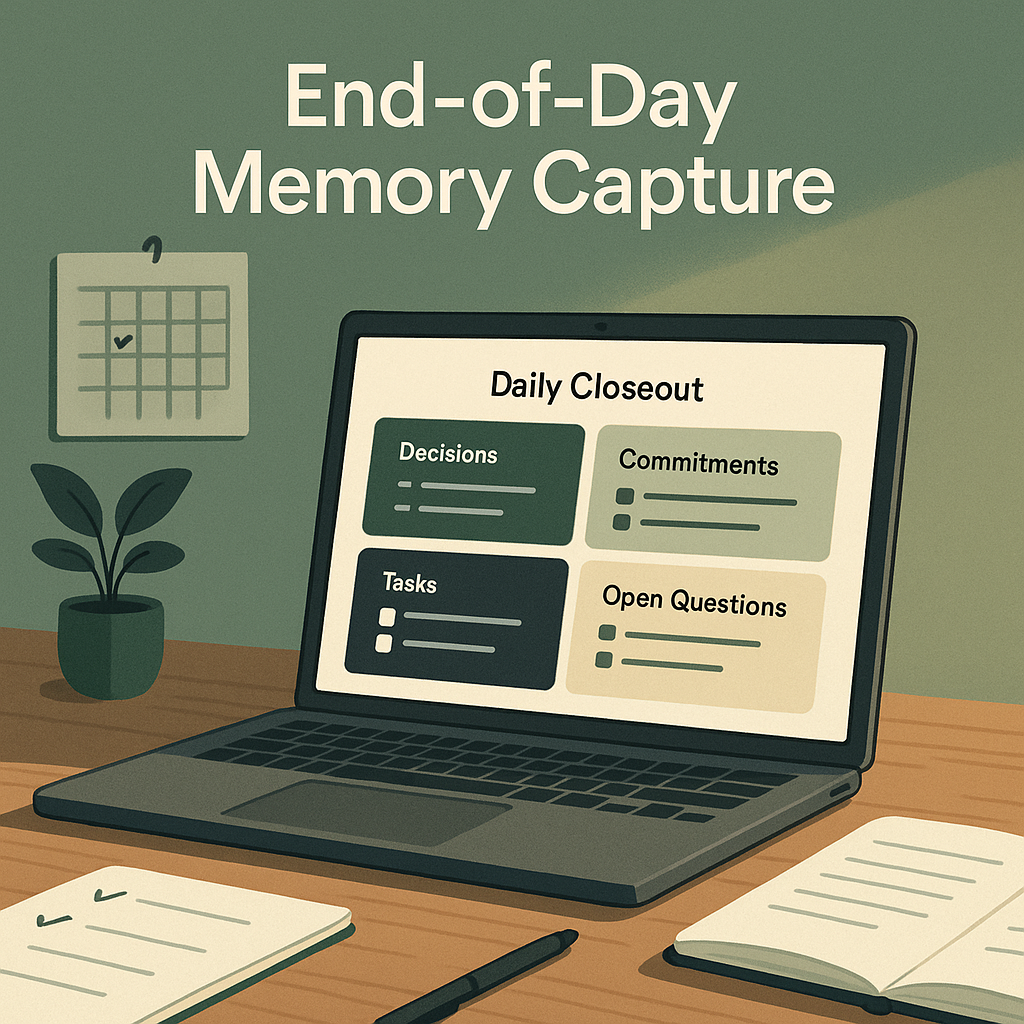
The goal is not to archive every minute of the day. The goal is to produce a short closeout that answers five questions:
- What decisions were made?
- What commitments did I make?
- What commitments did other people make?
- What follow-up tasks should exist?
- What open questions need attention tomorrow?
That is enough structure to make the next day easier without turning the closeout into another reporting chore.
Start with a narrow source set
The first decision is what Codex is allowed to inspect.
For a solo consultant, that might be:
- today's calendar events
- meeting notes
- important email from the last 24 hours
- files modified in client folders
- the current daily note in Obsidian
For an account manager, it might include:
- CRM activity
- a shared inbox
- customer call notes
- a project tracker
In legal, clinical, or financial services settings, the scope should be narrower, with tighter privacy and review rules.
The prompt needs to be explicit about:
- the time window
- the folders, apps, or labels to review
- the required output format
- what Codex must not do
A practical instruction looks like this:
Review today's emails, meeting notes, calendar events, and files modified today. Create a daily closeout note with these sections: Decisions, Commitments I Made, Commitments Others Made, Follow-Up Tasks, and Open Questions. For each task, include an owner, due date if known, source link or file path, and a suggested priority. Do not create recurring tasks unless the source explicitly implies recurrence. Do not send messages, archive email, or write tasks into the live task system until I approve the draft.
That last line matters.
The safest version of this workflow produces a draft first. A person reviews it, removes wrong assumptions, edits task wording, and decides what should be copied into the task system, CRM, daily note, or next-day briefing.
Keep the output short and reviewable
A useful closeout is not a play-by-play of the day.
It should surface the items that affect future action.
A good closeout note includes:
- Decisions: one sentence per decision, source, who was involved, and whether it still needs to be communicated
- Commitments I Made: the exact promise, recipient, expected timing, and source
- Commitments Others Made: who owes what, when it was promised, and whether follow-up is needed
- Follow-Up Tasks: owner, suggested priority, due date if supported by the source, and where the task should eventually live
- Open Questions: unresolved items that should show up tomorrow
This structure helps because it separates memory from action.
- A decision is not always a task.
- A task is not always yours.
- An open question is not a commitment.
If you mix those together, the task list turns into vague reminders that no one trusts.
Put human review in the design
End-of-day capture should not be fully automatic at first.
Human approval is part of the workflow, especially for client-facing teams.
Before anything is written into a live system, someone should check:
- whether the source was interpreted correctly
- whether a suggested task is real or just a possible next step
- whether a due date was stated or guessed
- whether a commitment belongs to one person, another team member, or the company
- whether sensitive content should stay out of the daily note
- whether a follow-up should be sent, delegated, delayed, or ignored
Codex can help notice the work, organize it, and draft the handoff. The responsible person still decides what becomes official.
That keeps the workflow useful without handing over judgment.
Choose boring inputs and predictable outputs
The best inputs are ordinary operating records, not special AI-only documents.
Useful inputs include:
- calendar events
- meeting transcripts or notes
- modified files
- inbox threads
- CRM activity
- project management comments
- support tickets
- chat exports
- existing daily notes
The outputs should also be predictable.
A simple setup might create:
- one Markdown closeout note in a daily notes folder
- one task draft file for review
A more mature setup might also prepare:
- draft CRM updates
- a next-day briefing input
- unsent follow-up drafts
- an exception report
The exception report is worth keeping. If Codex is unsure whether something is a real commitment, it should say so. That lets the reviewer focus on judgment calls instead of rereading the whole day.
Turn the prompt into a skill when the pattern is stable
Once the closeout format works for a few days, the next step is to package it as a skill.
A skill can define:
- the source list
- the output template
- privacy rules
- priority levels
- task categories
- file locations
- exact approval language
It can also include scripts for things like:
- finding files modified today
- collecting calendar items
- checking that outputs include source links
This reduces prompt drift. Instead of re-explaining the workflow every evening, the user asks for the end-of-day closeout and the skill supplies the method.
A good skill for this process should include:
- trigger conditions such as end of workday or on request
- allowed sources Codex may inspect
- the five closeout sections and required task fields
- safety rules that block sending, deleting, archiving, or live task creation without approval
- confidence rules that mark uncertain items clearly
- a review checklist for approval
That is the point where the workflow starts behaving like an operating habit instead of a one-off conversation.
Add automation only after the draft is reliable
After the skill is stable, automation starts to make sense.
A recurring automation could run every weekday afternoon, review approved sources, draft the closeout, and place the result in the Codex inbox for review.
The distinction matters:
- automate the preparation
- do not automate the decision too early
A practical automation might:
- collect the day's signals from approved sources
- draft the closeout note and task candidates
- surface only items that need review, such as unclear due dates, unassigned commitments, customer follow-ups, or unresolved questions
It also should be allowed to say nothing important happened. Reliability matters more than volume.
Pair it with a morning briefing
End-of-day capture works well with a morning operator briefing.
The closeout preserves what happened. The morning briefing turns that preserved context into a plan.
That creates a simple operating loop:
- end the day by capturing decisions, commitments, tasks, and open questions
- start the next day by reviewing what needs action, what is waiting on others, and what can wait
For a small team, that makes handoffs cleaner, resuming work easier, and weak spots easier to spot.
If you want to test this without overbuilding it, start with one workday and one narrow source set. Use today's calendar, meeting notes, important email, and one working folder. Ask Codex for a closeout draft. Then check what it got right, what it missed, and what fields would make approval faster.
After a few runs, you will know whether this is worth turning into a skill. If it is, the next step is straightforward: standardize the review, keep the safety gates, and let automation prepare the draft before the details disappear.
Sources: OpenAI Codex skills documentation OpenAI Codex automations documentation