Give AI Assistants Access by Task, Not by Trust
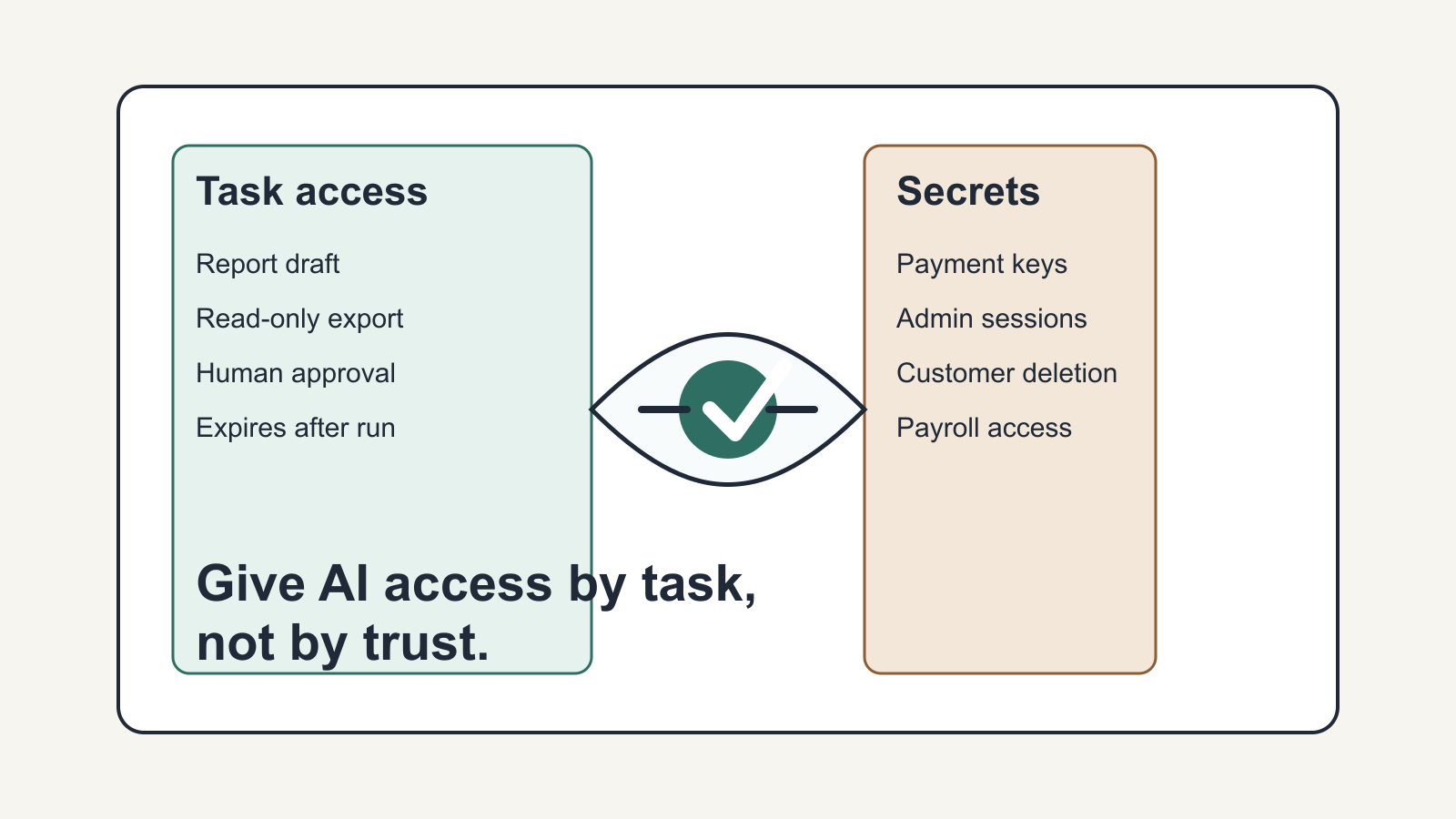
AI assistants are moving out of chat windows and into actual operating work. They can inspect files, draft replies, update records, run commands, and help a team clear routine backlog.
That creates a straightforward business problem: access.
A person can notice when something feels off, stop, and ask before taking a risky step. An AI assistant cannot be expected to supply that judgment on its own. If the only way to make it helpful is to hand over a full .env file, a shared password vault, or an admin session, the setup is too loose.
The question is not whether you trust the AI.
The question is narrower and more useful: what access does this task require, for how long, and what should stay impossible?
Start with the job
Most small businesses do not need a perfect security program before they try AI. They do need a clear definition of the work.
If the job is vague, access usually expands to cover the uncertainty. That is how a simple assistant ends up with owner-level permissions across the inbox, CRM, file storage, billing, and production systems.
Start with the actual task.
- A weekly report assistant may need a spreadsheet export, a reporting template, and a folder to save a draft
- A customer follow-up assistant may need recent support tickets and a place to draft replies
- A website update assistant may need repository access, a test command, and a deployment checklist
- A scheduling assistant may need calendar availability and meeting rules, but not payroll or refund permissions
Those examples sound obvious. In practice, teams often skip this step because broad access is faster to set up than narrow access.
That is convenient in the short term, but it is a weak operating model.
Give access by task
Task-scoped access means the assistant gets only the inputs and permissions needed for the current job.
Sometimes that means no live access at all.
A copied export is often better than a live database connection. A test account is often better than an owner account. A limited API key is often better than a general one. A review step is often better than automatic sending, publishing, or updating.
A practical pattern looks like this:
- Define the task in one sentence
- List the systems involved
- Separate read access from write access
- Decide what the assistant can do directly
- Decide what has to come back to a person for approval
- Remove or expire access when the job is done
This helps with security, but it also helps with operations.
When an assistant has a narrow job and narrow permissions, mistakes are easier to spot. You can inspect the inputs, reproduce the issue, and fix the workflow without guessing what else the assistant touched.
Treat secrets as authority
Passwords, API keys, signing keys, database credentials, payment credentials, and customer-data tokens should not be handled like normal working context.
They are authority.
An assistant may need to trigger a command that depends on a secret, but that does not mean the assistant should see or store the secret itself. That distinction matters.
Newer developer tooling is exploring ways to keep secrets encrypted or locally controlled, inject approved values only into the process that needs them, and limit use by session, policy, or command. The business takeaway is simpler than the tooling details:
- Design the credential path as part of the workflow
- Do not paste secrets into a chat
- Do not leave production keys in a random project folder
- Do not give every assistant the same broad credentials because a demo worked once
A useful setup makes the safe path the repeatable path.
What this looks like in a real business
Say a business wants an AI assistant to prepare a weekly sales summary.
The loose version is easy to imagine. The assistant gets access to the CRM, accounting system, inbox, and analytics dashboard under an owner login. It can pull whatever it needs. It works quickly in a demo.
It also creates a messy dependency.
If the assistant pulls the wrong records, follows outdated instructions, or exposes the wrong context in the wrong place, the impact spreads across several systems at once.
A better version starts smaller.
The CRM exports the required fields to a reporting folder. The assistant reads that export, checks it against a short rules list, drafts the summary, and flags anything missing or unusual. If a live CRM query becomes necessary later, use a dedicated read-only credential. If the report will be sent to clients, keep the final send behind human approval.
That setup may feel less impressive, but it is easier to operate.
- The inputs are visible
- The permission boundary is explainable
- The process can be repeated next week
- Another team member can run it without informal warnings like "just be careful"
The same approach works across ordinary business workflows:
- An inbox assistant can draft replies from recent tickets without having permission to send final messages
- An estimate assistant can pull line items from past jobs without being able to issue invoices
- A CRM cleanup assistant can suggest merges or field updates without deleting records directly
- A meeting assistant can prepare follow-up notes and action items without editing every calendar or contact record in the business
Use this lens when buying or building
This is also a practical filter for vendors, consultants, and internal automation projects.
When someone proposes an AI assistant, ask how access actually works.
- What systems does it need?
- Which permissions are read-only?
- Which actions require approval?
- Where are secrets stored?
- Can access be revoked cleanly?
- Is there a log of what happened?
- Can the workflow run with test data first?
- What happens if the assistant produces the wrong instruction or takes the wrong action?
Good answers do not need to sound technical. They need to be specific.
If someone can explain the access boundary, approval points, and rollback path, they are probably thinking about real implementation. If the answer is only that the assistant is secure or private, you are being asked to trust a label instead of a workflow.
Trust the workflow.
A simple rule to use now
Before giving an AI assistant access to any system, write one sentence:
This assistant may use this access to do this task, but it may not do these things.
If that sentence is hard to write, the setup is still too broad.
That test works whether the assistant is handling support inbox drafts, updating SOPs, preparing reports, moving CRM records, reviewing invoices, or helping with code and site changes. If you cannot describe the allowed action and the forbidden action clearly, the assistant probably has too much room to wander.
AI assistants will keep getting more capable. That makes access design more important, not less.
For a small or mid-sized business, the goal is not to block useful automation. The goal is to make automation reviewable, repeatable, and limited enough that one bad action does not turn into a business-wide problem.
Pick one live workflow this week, reduce the permissions to the minimum needed, and add one approval step where the cost of a mistake is high.
Source notes
This article was developed from archived X bookmark material, including Dave Blumenfeld (@dblumenfeld) discussing a local encrypted vault pattern for AI agent secret access: https://x.com/dblumenfeld/status/2031757313481335103. The related Keypo signer repository describes encrypted macOS secret storage, scoped vault execution, session limits, and audit logging: https://github.com/keypo-us/keypo-cli/tree/main/keypo-signer.