Inbox-to-Action Triage: A Practical Codex Workflow for Email That Needs Decisions
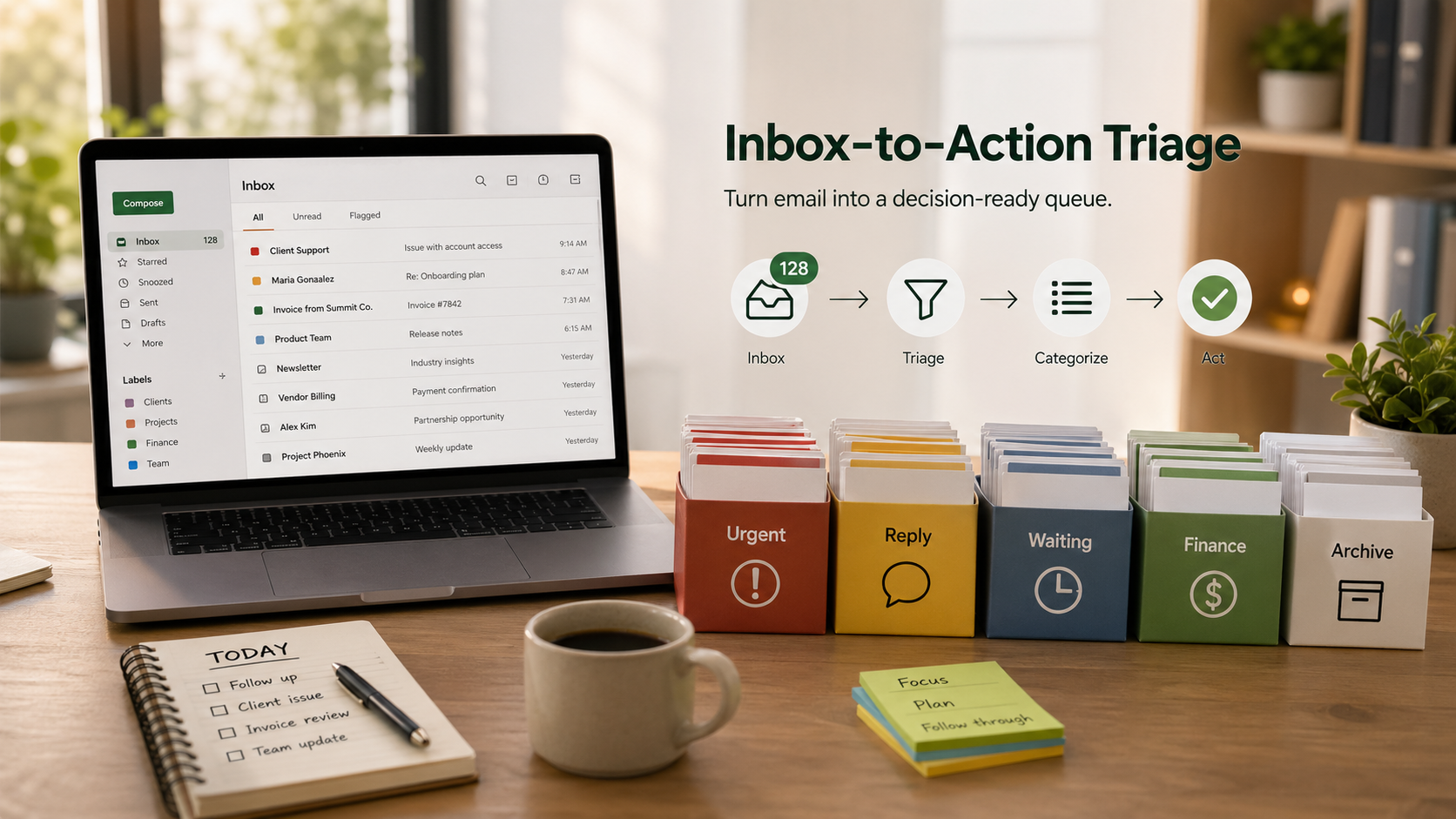
A crowded inbox is an operating problem.
In one list, you may have a customer complaint, a vendor invoice, a lead reply, a calendar change, a renewal notice, and a newsletter. If you treat all of that as the same kind of work, you slow down the messages that actually need judgment.
A general inbox summary does not fix that. You still have to decide what needs a reply, what can wait, what affects money, and what should be cleared out.
Inbox-to-action triage is more useful because it turns recent email into a review queue. The goal is simple: separate messages by the kind of attention they need, draft replies where helpful, and keep any real action behind approval.
Sort by decision, not by message
Start with a narrow time window. For most owner or manager inboxes, the last 24 or 48 hours is enough. A shared support inbox may need shorter cycles. A founder who checks email once a day may need longer.
The first pass should group messages into practical buckets:
- Urgent customer issues: complaints, service failures, account problems, missed deadlines, or anything that could damage trust if it sits
- Needs my reply: messages where the next move belongs to you
- Waiting on someone else: threads where another person owes the next answer
- Financial or admin: invoices, receipts, renewals, tax documents, payroll items, account notices, or vendor paperwork
- Opportunities: leads, referrals, partnership notes, recruiting candidates, or expansion signals from current customers
- Newsletters and low-signal updates: useful later, maybe, but not beside active work
- Archive candidates: messages that look complete, duplicated, informational, or already handled
This matters because each bucket leads to a different next step. A customer issue may need a same-day reply. An invoice may need routing. A waiting thread may need no action at all today.
Ask for a working queue, not a summary
A practical prompt can be direct:
Triage my inbox from the last 48 hours. Group messages into urgent customer issues, needs my reply, waiting on someone else, financial/admin, opportunities, newsletters/noise, and archive candidates.
For every message that needs my reply, draft a short response in my voice and explain any assumptions. For every urgent item, include why it is urgent, the customer or stakeholder involved, the source thread, and the recommended next action.
Do not send replies, archive messages, create tasks, mark messages read, or change labels until I approve the proposed actions.
That prompt does three useful things:
- It defines the categories up front
- It asks for reasoning, not only classification
- It blocks the system from turning a bad guess into a real inbox change
If you run a team inbox, add your response rules. For example:
- Flag anything from top accounts
- Treat billing failures as urgent
- Put speaking requests under opportunities, not general reply
- Surface anything overdue by more than one business day
What useful output looks like
A weak result says you have email about customers, invoices, and newsletters. That does not help much.
A useful result gives you something you can review quickly and act on:
- Urgent customer issue: Brightside Dental reported that their intake form is not sending confirmations. Source: email from Maria at 8:17 a.m. Recommended next action: acknowledge the issue, confirm we are checking delivery logs, and ask whether any specific patients were affected. Draft reply ready. Confidence: high.
- Needs my reply: Chris asked whether the revised proposal should include implementation support or advisory-only pricing. Source: thread
Proposal next steps. Draft reply ready with two options. Confidence: high. - Waiting on someone else: Vendor still owes the updated invoice with the corrected billing address. Source: last outbound email yesterday at 3:42 p.m. Suggested action: no reply today unless still missing tomorrow. Confidence: medium.
- Archive candidate: Webinar reminder from a vendor already appears on the calendar. No action recommended. Confidence: high.
That format works because it gives you the source, the proposed next step, and the confidence level. You can review it like an operator, not like someone reading another long inbox digest.
Keep the risky steps behind approval
Email touches customers, revenue, contracts, and reputation. So the workflow needs hard boundaries.
Use these approval gates:
- Drafting is separate from sending
- Recommending archive is separate from archiving
- Finding tasks is separate from creating them
- Financial messages should be flagged clearly, not buried in a generic admin list
- Customer complaints should be over-flagged rather than missed
- Low-confidence items should stay visible instead of being forced into a neat category
That is the difference between a useful assistant and a cleanup script that causes extra work later.
If you have ever had a message misfiled, a reply sent too early, or an invoice missed because it sat beside vendor newsletters, you already know why these controls matter.
Add a little business context
The input can be only a mailbox window, but the output gets better with a small amount of business context.
Useful context might include:
- a list of important customers or accounts
- current projects or active deals
- known vendors
- your preferred tone and reply length
- phrases that usually signal urgency
- existing labels in the mailbox
- common archive rules
- business hours and response-time expectations
That context helps the system distinguish between a real customer issue and a routine update, or between a lead worth a same-day reply and a message that can wait until tomorrow.
A good output format is short and reviewable:
- Top risks: 3 to 5 items that could affect trust, revenue, compliance, or operations
- Reply queue: messages that need your answer, each with a draft and assumptions
- Waiting list: threads where someone else owes the next move
- Admin and finance: invoices, renewals, documents, or account notices that need review
- Archive candidates: messages that look safe to clear after approval
- Questions for you: ambiguous items where the system should not guess
Turn repeated rules into a skill
OpenAI's Codex skills documentation describes skills as reusable packages of instructions, resources, and optional scripts that help Codex follow a workflow reliably: https://developers.openai.com/codex/skills
Inbox triage is a good fit because the rules are operational and specific to the business. One company wants every invoice flagged. Another wants invoices routed to a bookkeeper after review. A sales team may want lead emails drafted into CRM notes later. A clinic or law firm may need stricter exclusions.
A reusable inbox triage skill can define:
- the exact triage buckets
- the mailbox labels to inspect
- priority rules by customer, sender, or phrase
- reply style preferences
- financial and legal escalation rules
- what the agent may draft but not send
- what the agent may recommend but not change
- the output template
- the review checklist before any action is taken
It should also say what not to do.
For example:
- do not unsubscribe
- do not delete
- do not archive
- do not forward
- do not send
- do not mark read
- do not create external tasks
- do not update CRM records without approval
Start automation as a watcher
OpenAI's Codex automations documentation explains that recurring tasks can run in the background, report findings to the inbox, and combine with skills for more complex workflows: https://developers.openai.com/codex/app/automations
For inbox triage, the first automation should watch and report. It should not act on the mailbox by itself.
A conservative version might run twice a day and report only:
- urgent customer issues
- messages from key accounts
- financial notices
- replies overdue by more than one business day
- opportunities that match your criteria
- ambiguous items that need human classification
That keeps it from becoming one more report no one reads. It should only surface what deserves attention.
Later, once the rules hold up in real work, you can let it prepare draft replies, assemble archive batches, or propose task lists. But review should stay in place until the workflow has proven itself.
Where to start this week
Do not start with manage my inbox. That is too broad.
Start with one mailbox, one time window, and one decision that currently burns time or causes misses.
Good starting points:
- Which customer messages need a same-day reply?
- Which sales leads should be answered before noon?
- Which invoices or renewals need owner review?
- Which newsletters can be archived after approval?
- Which threads are waiting on someone else?
Run the workflow manually for a week. Tighten the buckets. Save examples of false positives and false negatives. Then turn those repeated rules into a skill. After that, consider a scheduled automation.
The aim is not to make email disappear. The aim is to stop treating every message as the same kind of work.
If your inbox currently mixes customer issues, money tasks, and low-value noise in one stream, inbox-to-action triage is a practical place to start: one mailbox, one review queue, and clearer decisions before anything gets sent, filed, or ignored.