Turn Customer Feedback Into Work Your Team Can Actually Act On
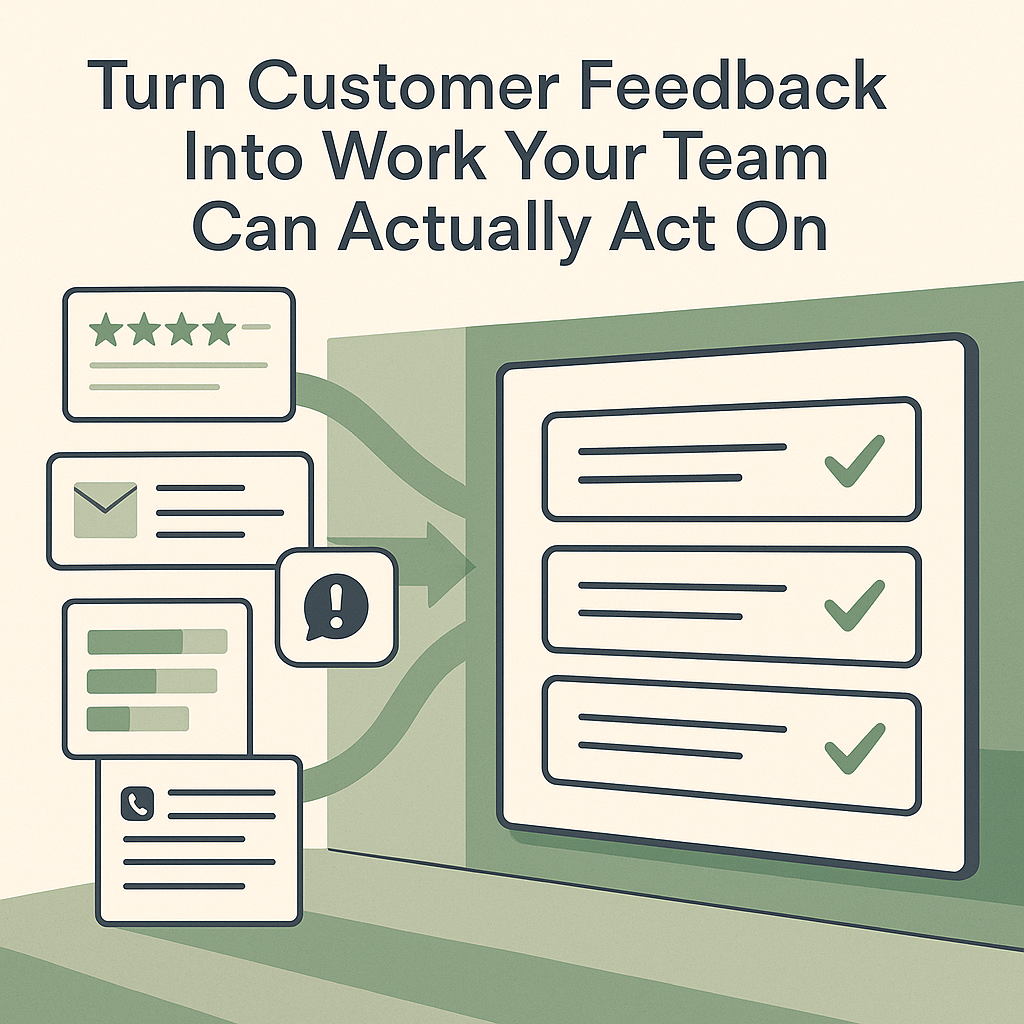
Customer feedback rarely shows up in one tidy place.
It lands in reviews, support tickets, refund emails, survey comments, CRM notes, sales call summaries, and messages from staff who keep hearing the same complaint. Each item may look minor on its own. Taken together, they usually point to a real operating problem.
For small teams, the failure point is rarely lack of feedback. It is lack of a usable review process. People read comments, remember the loud ones, and bring them up later from memory. That usually leads to reacting to volume instead of seeing patterns.
A better approach is to turn scattered feedback into a weekly operating document. Keep it short. Keep it reviewable. The point is to give a manager, owner, or team lead something they can use to decide what to fix, what to investigate, and what to leave alone for now.
Codex can help assemble that document. But the real value is not handing decisions to automation. The value is making the feedback loop visible enough for humans to judge it well.
What the output should help you decide
The first version can fit on one page or one spreadsheet tab.
It should answer a few practical questions:
- What issues are customers repeating?
- Which sources did each theme come from?
- How confident are we that this is a real pattern?
- What is the likely root cause?
- Does this point to an operational fix, a product or service change, a messaging issue, or a need for more research?
- Who needs to approve the next step?
That last point matters more than it seems.
A customer complaint can be accurate without pointing to the right fix. If customers say response times are slow, the root cause could be staffing, routing, poor auto-replies, weak inbox triage, unclear expectations, or a broken handoff between teams. The workflow should surface evidence and likely causes. It should not quietly turn a guess into policy.
Start with approved sources, not everything
Most teams get better results by defining a narrow source list first.
A restaurant might review:
- recent public reviews
- catering emails
- comment cards
- manager notes
A software company might review:
- support ticket exports
- churn notes
- sales objections
- feature request threads
- issue summaries
A clinic, agency, home services company, school, or nonprofit will have a different mix, but the structure is the same. Pick the places where customers are already telling you what is confusing, broken, late, missing, or disappointing.
When you ask Codex to review feedback, give it three clear boundaries:
- business context: what service line, product, location, audience, or date range is being reviewed
- source boundaries: which inbox labels, folders, CSV exports, ticket queues, notes, or approved channels it can inspect
- output contract: exactly how themes should be grouped, how examples should be cited, how confidence should be described, and what actions require approval
A simple prompt can do the job:
Review the customer feedback sources I provide for the last 30 days. Group recurring themes, include representative source examples, estimate confidence, identify likely root causes, and recommend next actions. Separate recommendations into quick operational fixes, product or service improvements, messaging changes, and items that need more research. Do not reply to customers, create tickets, assign owners, publish summaries, or include private quotes in visible outputs unless I approve them.
OpenAI's Codex use case library describes this general pattern as turning feedback from sources such as Slack channels, issue threads, survey exports, support-ticket CSVs, or research notes into a reviewable artifact. It also stresses keeping private names or quotes out of visible summaries unless approved and avoiding unapproved actions such as posting, sending, creating issues, or assigning owners. That is a sensible operating rule for a business workflow. See the Codex feedback synthesis use case.
Use enough source detail to verify the pattern
The goal is not to dump all raw customer comments into one report.
The goal is to preserve enough detail that someone can check whether the summary is fair.
Useful inputs often include:
- review exports with dates, ratings, and location
- support tickets with category, status, product area, and resolution notes
- tagged customer emails about issues, complaints, refunds, or onboarding problems
- survey exports with free-text comments and scores
- call notes from sales, onboarding, account management, or service staff
- internal notes from employees hearing repeat confusion on calls or in person
A good output might say that three recent tickets and two email threads mentioned confusion about pickup timing, then link to internal record IDs. It does not need to paste customer names or full complaint text into a broad team update.
Sort actions by the kind of work they require
The most useful part of the workflow is usually not the list of themes. It is the action split.
When feedback is grouped this way, teams stop treating every complaint like a strategy emergency.
Quick operational fixes
These are changes you can test without redesigning the business.
Examples:
- update a confirmation email
- fix a scheduling instruction
- add a missing checklist step
- revise a phone script
- improve a handoff between front desk and fulfillment
- add a clear FAQ answer
Product or service improvements
These involve changing what the customer actually receives.
Examples:
- adjust package options
- revise appointment flow
- change onboarding steps
- improve delivery timing
- rewrite documentation
- change feature behavior
Messaging changes
Sometimes the service is acceptable, but expectations are being set badly.
Examples:
- a website promises speed the team cannot consistently deliver
- a proposal leaves out an approval step that delays work
- a menu or listing creates the wrong assumption
- a sales explanation overstates what is included
More research
Some signals matter but are still weak.
These may need:
- a few customer calls
- staff interviews
- a short survey
- a check against retention, refund, or usage data
This split helps managers choose the right next move instead of pushing everything into the same backlog.
Put clear human gates around action
Feedback summaries need review because customer language is messy and context matters.
Before acting, someone should check:
- whether the sources are representative enough
- whether private or sensitive details were removed from visible summaries
- whether the suggested root cause is supported by evidence
- whether the recommendation fits staffing, brand standards, legal obligations, and service promises
- whether any customer-facing response is needed, and who should handle it
This is even more important in regulated or trust-heavy businesses such as law firms, financial advisory practices, medical offices, schools, and nonprofits. The workflow can still help, but the review gate should be stricter.
Turn the process into a repeatable skill
After a few manual runs, you will usually notice the same repeated instructions.
That is when the workflow may be worth turning into a Codex skill. OpenAI's Codex skills documentation describes skills as reusable workflows that package instructions, resources, and optional scripts so Codex can follow a task reliably. See the Codex skills documentation.
A feedback-review skill might include:
- approved source locations
- naming conventions for exports and notes
- a standard theme taxonomy
- rules for anonymizing customer details
- confidence scoring definitions
- the required action split
- a human approval checklist
- output templates for a memo, spreadsheet, or leadership summary
This is how the process becomes durable. Your team is no longer rebuilding the prompt each week.
If the review cadence is stable, automate the reporting
Once the skill works, a weekly automation may make sense.
The automation should not run the business for you. It should tell you what changed.
A useful weekly run might:
- inspect only new feedback since the last review
- compare current themes against prior weeks
- flag issues that are new, worsening, or improving
- produce a short internal briefing for a standing meeting
That briefing might include:
- new or worsening themes
- stable themes
- representative examples or internal record IDs
- recommended actions for review
- decisions needed from a manager or team lead
OpenAI's Codex automation documentation says automations can run recurring background tasks, add findings to the inbox, and combine with skills for more complex work. See the Codex automations documentation.
Review early runs closely. If the automation overstates weak signals, misses obvious context, or creates noisy summaries, adjust the skill before making it part of a weekly operating rhythm.
A practical place to start
Pick one service line, one location, or one customer segment.
Pull the last 30 days of feedback from a small set of approved sources. Ask for themes, evidence, confidence, likely root causes, and recommended actions. Review the output with the people closest to the customer. Then choose:
- one quick operational fix to test this week
- one issue that needs deeper investigation
- one theme that is interesting but not strong enough to act on yet
That is enough to know whether the workflow is helping.
If your team leaves the review with a clearer decision about scripts, inbox triage, estimates, scheduling, handoffs, or onboarding, the process is working. The next useful step is not a bigger dashboard. It is making sure next week's review can be run the same way with better source boundaries and cleaner approval rules.