Your First AI Workflow Should Have a Kill Switch
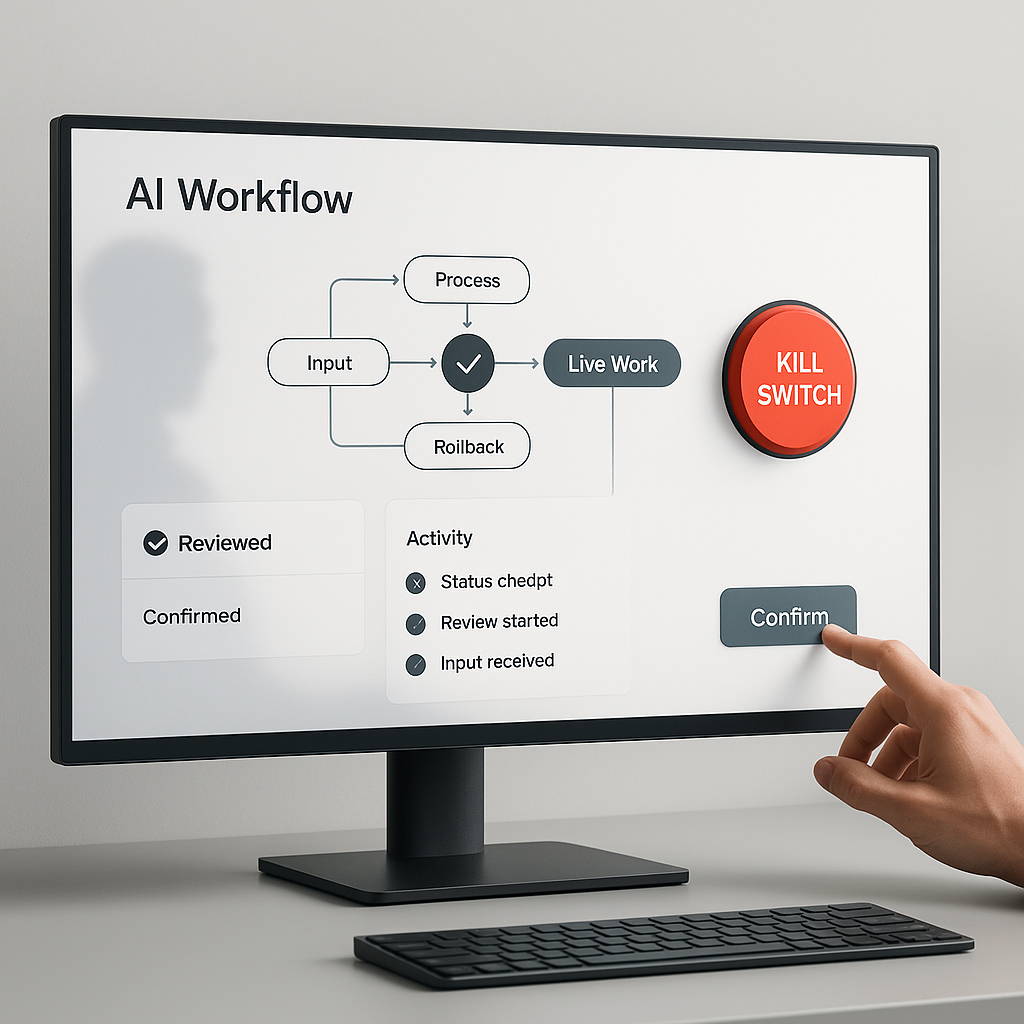
Most businesses do not need to begin with an AI system that runs on its own. They need one workflow that saves time without creating cleanup work when something goes wrong.
That is why the first serious AI workflow should have a kill switch.
This is not a dramatic red button. It is an operating rule. When the assistant hits a risk boundary, finds conflicting information, or lacks enough context, it stops and hands the work back to a person.
That changes the design question in a useful way. Instead of asking whether AI can do a task, you start asking where the workflow should pause, ask, log, or stop.
That is the right question before AI touches customer emails, calendars, invoices, CRM records, reports, files, or public content.
Start with a workflow where mistakes are easy to see
Your first workflow should not be the most ambitious one. It should be a repeated task the team already understands, where errors show up quickly.
Good examples:
- A support assistant drafts replies from recent tickets
- A scheduling assistant finds open times and prepares confirmations
- A billing assistant prepares invoice notes from completed work
- A content assistant drafts posts and queues them for review
- A CRM assistant updates records after a sales call
These are useful because they already exist in the business. They also have consequences.
A support draft can promise the wrong thing. A scheduling workflow can double-book a calendar. A billing note can pull the wrong amount. A content draft can go live with an unverified claim. A CRM update can overwrite details a rep still needs.
The goal is not to avoid automation. It is to define where helpful assistance ends and human judgment begins.
Map the points where analysis turns into action
Before you build anything, list the places where the workflow stops being passive and starts affecting live work.
Check these categories:
- Read access: files, inboxes, transcripts, CRM records, calendars, dashboards, exports
- Write access: tags, notes, fields, tasks, record updates, status changes, file moves
- External contact: emails, texts, review replies, vendor messages, appointment confirmations
- Money movement: invoices, refunds, pricing changes, orders, payroll-related data
- Customer record changes: deal stages, ticket status, account notes, booking records, project boards
- Public claims: website copy, review responses, social posts, status pages, knowledge base updates
Every step that touches one of these areas needs a rule.
- Some steps can run automatically
- Some should create a draft only
- Some should ask for approval
- Some should stop completely
That map is the start of the kill switch.
Stop conditions need to be specific
Vague safety language sounds responsible, but it does not help much in real operations. The assistant needs clear instructions it can follow without guessing.
Weak rule:
- Be careful with sensitive data
Better rule:
- If a customer message includes payment details, health information, legal terms, account credentials, or a complaint about money owed, do not draft a final response. Create a summary and escalate to the owner.
Weak rule:
- Ask before making changes
Better rule:
- The assistant may tag CRM records and draft follow-up tasks, but it may not change deal stage, owner, invoice status, or customer-facing notes without explicit approval.
Weak rule:
- Do not publish anything risky
Better rule:
- The assistant may prepare a draft, excerpt, image, and social copy, but publishing requires a human to confirm the live URL, image, sources, and final status.
Specific stop conditions make a workflow easier to trust because the team knows what should happen when the edge cases show up.
Put approval gates where business impact starts
A workflow can still save time even if a person approves the final step. The key is to place the approval gate where the output becomes visible or hard to reverse.
In many businesses, approval should happen before the workflow:
- Sends something to a customer
- Changes a system of record
- Spends or refunds money
- Publishes public content
- Deletes or overwrites information
- Uses customer data in a way the customer would not expect
Practical examples:
- A support workflow reads tickets and drafts replies, but a person approves before send
- A scheduling workflow finds open windows, but a person approves before the booking is confirmed
- A reporting workflow cleans a spreadsheet and flags issues, but a person approves before the client email goes out
That is not bureaucracy. It is where you keep human judgment attached to business consequences.
Log what the workflow saw and why it stopped
If a workflow affects real work, it should leave a trail.
The log does not need to be fancy. It should answer a few basic questions:
- What did the assistant inspect?
- What did it produce, change, or suggest?
- What risk, conflict, or missing input did it detect?
- Who approved, rejected, paused, or overrode the next step?
This matters for improvement.
If the workflow keeps escalating the same type of message, maybe the rule is too tight. If your team keeps correcting the same kind of draft, maybe the prompt is weak or the source data is messy. If nobody can explain why a field changed, the workflow is not ready for more autonomy.
Logs are what turn a one-off experiment into something you can run, review, and tighten over time.
Plan the undo path before launch
Many teams think about what the assistant should do but skip what happens when it does the wrong thing.
That is a mistake.
Before launch, answer these questions:
- How does a team member pause the workflow?
- Where is the current state recorded?
- If it creates a bad draft, can you discard it without touching live records?
- If it changes a record, can you see the previous value?
- If it schedules something, can you cancel it quickly?
- If it sends a notification, who catches the mistake and how is it corrected?
A first workflow should prefer reversible actions:
- Draft before send
- Queue before publish
- Tag before reassign
- Suggest before update
- Save a copy before overwrite
- Test on sample data before live data
For a small business, reversibility is one of the most practical forms of AI safety.
Write the kill-switch checklist in plain language
Before the workflow goes live, write down the operating rules your team can actually use.
A practical version might look like this:
- The assistant may inspect approved inbox labels, customer notes, recent call transcripts, and the scheduling calendar
- The assistant may create draft replies, task suggestions, summary notes, and proposed appointment times
- The assistant may not send emails, change invoices, delete records, update deal stages, publish content, or contact customers directly
- The assistant must ask for approval before saving customer-facing notes, confirming an appointment, marking a task complete, or sending a message
- The assistant must stop and escalate when information conflicts, customer intent is unclear, sensitive data appears, money is involved, the request falls outside the workflow, or the output would affect a customer without review
- The workflow must log sources checked, output created, stop condition triggered, approval requested, final human decision, and any correction made later
- The human pause control is stopping the scheduled run, revoking task-specific access, or moving the workflow back to draft-only mode
This is not heavyweight governance. It is the minimum operating model for AI that touches live work.
Turn the working method into a repeatable system
Once the checklist works in practice, you can make it reusable.
For a Codex workflow, those rules can live inside a skill. OpenAI describes Codex skills as packages of task-specific instructions, resources, and optional scripts that help Codex follow a workflow reliably: https://developers.openai.com/codex/skills
That means approval rules, input boundaries, output format, escalation language, and logging requirements do not have to be rewritten in every prompt.
If the workflow becomes predictable, parts of it may later become an automation. OpenAI's Codex automation docs describe recurring tasks that can run in the background, report findings to the inbox, and combine with skills for more complex work: https://developers.openai.com/codex/app/automations
That progression should be earned:
- First, run the workflow manually with a person watching
- Then turn the working method into a skill so the rules stay consistent
- Then automate only the parts with clear inputs, repeatable checks, and safe stop conditions
- Then review the logs before giving the workflow more reach
A lot of avoidable mess starts when a team skips straight to automation because the demo looked good once.
Review it like an operator
Before AI touches live work, review the workflow the way an operator would.
- Can a normal team member explain what it is allowed to do?
- Can they explain when it must stop?
- Can they see what it inspected?
- Can they review the output before it affects a customer?
- Can they pause it without calling a developer?
- Can they recover from a bad run?
If the answer is no, keep the workflow in a smaller role.
That might mean using it as a draft helper, internal summarizer, QA check, or reporting assistant for a while. That is still useful. A controlled workflow that saves time is better than an impressive one that creates rework.
Pick one workflow your team already repeats this week. Map what it reads, what it writes, where a mistake matters, and who needs the final say. Then write the kill switch before you write the automation.